Enbrighten
In-Wall Tamper Resistant Smart Outlet
55256/ZW1002
On/Off Power Switch
HW: 255 FW: 5.51
ZM5202
6.82.00
0x0063 (99)
0x4952 (18770)
0x3234 (12852)
ZC10-20076950
2020-07-22 11:57:04.022441
N/A
Enhanced 232 Slave
Always On Slave
Transform any home into a smart home with the GE/Enbrighten Z-Wave Tamper Resistant Smart Outlet.
Transform any home into a smart home with the GE/Enbrighten Z-Wave Tamper Resistant Smart Outlet. The GE/Enbrighten Z-Wave Tamper Resistant Smart Outlet enables wireless control of on/off functions from the Z-Wave controlled outlet, and is compatible with incandescent, LED, Xenon, Halogen, fluorescent and compact fluorescent bulbs. The tamper resistant duplex receptacle includes a blue LED indicator light to easily locate the receptacle in a dark room. The receptacle replaces your current electrical outlet, uses your existing wiring and provides a Z-Wave enabled outlet for the lamp or appliance that you would like to control and a standard pass-through AC outlet for other electrical appliances. Take control of your home lighting with Jasco Z-Wave Smart Lighting Controls!
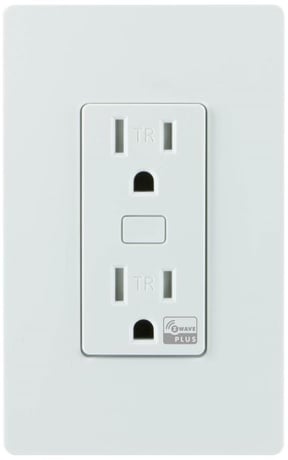
Product Image


3 - LED Light
Settings for control of the LED light/ guidelightSize: 1 byte
Default: 1
Minimum: 0
Maximum: 2
Possible values
| From | To | Desription |
|---|---|---|
| 0 | 0 | LED On when load is Off, Led Off when load is On |
| 1 | 1 | LED On when load is On, LED Off when load is Off (Default) |
| 2 | 2 | LED always off |
1. Follow the instructions for your Z-Wave certified controller to add a device to the Z-Wave network. 2. Once the controller is ready to add your device, press and release the program button.
1. Follow the instructions for your Z-Wave certified controller to remove a device to the Z-Wave network. 2. Once the controller is ready to add your device, press and release the manual/program button.
Press the button three times, then press and hold the button for at least three seconds. The LED will blink five times to confirm.
If prompted by the controller to enter the S2 security code, refer to the QR code/security number on the side of the box or the QR code label on the product (see Figure 1). Enter the 5-digit PIN code.
| Type | Value(s) |
|---|