RCS
TBZ500 Thermostat
TBZ500
Thermostat - HVAC
HW: 4 FW: 6.08:03.00
ZM5202
6.82.00
0x0010 (16)
0x5442 (21570)
0x5439 (21561)
ZC10-20066926
2020-06-19 10:33:42.840067
N/A
Routing Slave
Always On Slave
Yes
The TBZ500 Z-Wave Plus Thermostat is a programmable, Z-Wave communicating thermostat with S2 Security and SmartStart. 24VAC or Battery Powered.
The TBZ500 Z-Wave Plus Thermostat is a programmable, Z-Wave communicating thermostat with S2 Security and SmartStart. It can be powered using 24VAC, or using four (4) AA batteries. Using Z-Wave technology, end users have the ability to use most compatible Z-Wave hubs/controllers to operate and animate the thermostat, configure programming settings, as well as to display current conditions in the home or office.
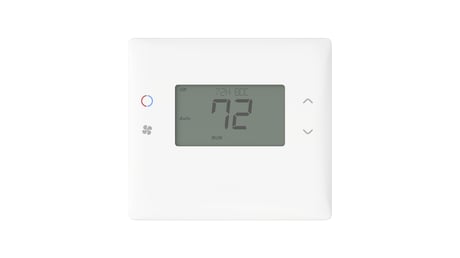
Product Image
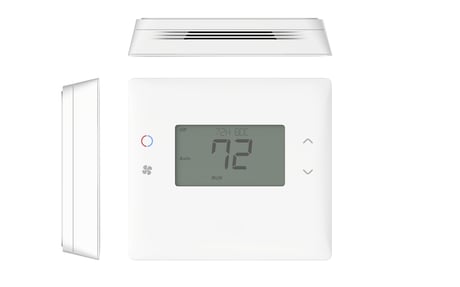
Front Angle View
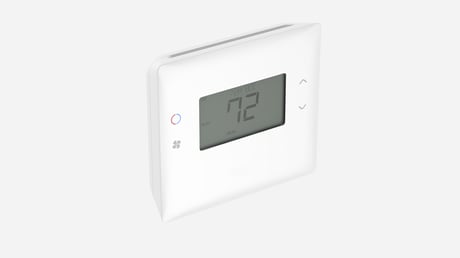
Front View


1 - System Type
Used to select the HVAC system.Size: 1 byte
Default: 0
Minimum: 0
Maximum: 1
Possible values
| From | To | Desription |
|---|---|---|
| 0 | 0 | Standard |
| 1 | 1 | Heat Pump |
2 - Fan Type
Select the fan type that your HVAC system has.Size: 1 byte
Default: 0
Minimum: 0
Maximum: 1
Possible values
| From | To | Desription |
|---|---|---|
| 0 | 0 | Gas(No fan with heat) |
| 1 | 1 | Electric(Fan with heat) |
3 - Change Over Type
Select whether your change over valve switches with heat or with cool call.Size: 1 byte
Default: 0
Minimum: 0
Maximum: 1
Possible values
| From | To | Desription |
|---|---|---|
| 0 | 0 | Change Over with COOL |
| 1 | 1 | Change Over with HEAT |
4 - 2nd Stage Heat Enable
Enable if your system has a second heat stage.Size: 1 byte
Default: 0
Minimum: 0
Maximum: 1
Possible values
| From | To | Desription |
|---|---|---|
| 0 | 0 | Disabled |
| 1 | 1 | Enabled |
5 - Aux Heat Enable
Enable if your system has an auxillary heat stage.Size: 1 byte
Default: 1
Minimum: 0
Maximum: 1
Possible values
| From | To | Desription |
|---|---|---|
| 0 | 0 | Disabled |
| 1 | 1 | Enabled |
6 - 2nd Stage Cool Enable
Enable if your system has a second cool stage.Size: 1 byte
Default: 0
Minimum: 0
Maximum: 1
Possible values
| From | To | Desription |
|---|---|---|
| 0 | 0 | Disabled |
| 1 | 1 | Enabled |
7 - C/F Type
Used to put the thermostat in Celsius or Fahrenheit mode.Size: 1 byte
Default: 1
Minimum: 0
Maximum: 1
Possible values
| From | To | Desription |
|---|---|---|
| 0 | 0 | Celsius |
| 1 | 1 | Fahrenheit |
8 - MOT
Used to set the Minimum Off Time that the heat pump compressor must be off before starting another call.Size: 1 byte
Default: 5
Minimum: 5
Maximum: 9
Possible values
| From | To | Desription |
|---|---|---|
| 5 | 9 | Time in minutes |
9 - MRT
Used to set the Minimum Run Time that the heat pump compressor must be on before ending a call.Size: 1 byte
Default: 3
Minimum: 3
Maximum: 9
Possible values
| From | To | Desription |
|---|---|---|
| 3 | 9 | Time in minutes |
10 - Setpoint H/C Delta
Setpoint delta that is maintained between heat and cool setpoints when in auto mode.Size: 1 byte
Default: 3
Minimum: 3
Maximum: 15
Possible values
| From | To | Desription |
|---|---|---|
| 3 | 15 | Degrees |
11 - H Delta Stage 1 ON
The amount of degrees from the heat setpoint that will trigger the stage 1 heat to turn on.Size: 1 byte
Default: 1
Minimum: 1
Maximum: 6
Possible values
| From | To | Desription |
|---|---|---|
| 1 | 6 | Degrees |
12 - H Delta Stage 1 OFF
The amount of degrees from the heat setpoint that will trigger the stage 1 heat to turn off.Size: 1 byte
Default: 0
Minimum: 0
Maximum: 5
Possible values
| From | To | Desription |
|---|---|---|
| 0 | 5 | Degrees |
13 - H Delta Stage 2 ON
The amount of degrees from the heat setpoint that will trigger the stage 2 heat to turn on.Size: 1 byte
Default: 2
Minimum: 2
Maximum: 7
Possible values
| From | To | Desription |
|---|---|---|
| 2 | 7 | Degrees |
14 - H Delta Stage 2 OFF
The amount of degrees from the heat setpoint that will trigger the stage 2 heat to turn off.Size: 1 byte
Default: 0
Minimum: 0
Maximum: 6
Possible values
| From | To | Desription |
|---|---|---|
| 0 | 6 | Degrees |
15 - H Delta Aux ON
The amount of degrees from the heat setpoint that will trigger the aux heat to turn on.Size: 1 byte
Default: 3
Minimum: 3
Maximum: 8
Possible values
| From | To | Desription |
|---|---|---|
| 3 | 8 | Degrees |
16 - H Delta Aux OFF
The amount of degrees from the heat setpoint that will trigger the aux heat to turn off.Size: 1 byte
Default: 0
Minimum: 0
Maximum: 7
Possible values
| From | To | Desription |
|---|---|---|
| 0 | 7 | Degrees |
17 - C Delta Stage 1 ON
The amount of degrees from the cool setpoint that will trigger the stage 1 cool to turn on.Size: 1 byte
Default: 1
Minimum: 1
Maximum: 6
Possible values
| From | To | Desription |
|---|---|---|
| 1 | 6 | Degrees |
18 - C Delta Stage 1 OFF
The amount of degrees from the cool setpoint that will trigger the stage 1 cool to turn off.Size: 1 byte
Default: 0
Minimum: 0
Maximum: 5
Possible values
| From | To | Desription |
|---|---|---|
| 0 | 5 | Degrees |
19 - C Delta Stage 2 ON
The amount of degrees from the cool setpoint that will trigger the stage 2 cool to turn on.Size: 1 byte
Default: 2
Minimum: 2
Maximum: 7
Possible values
| From | To | Desription |
|---|---|---|
| 2 | 7 | Degrees |
20 - C Delta Stage 2 ON
The amount of degrees from the cool setpoint that will trigger the stage 2 cool to turn off.Size: 1 byte
Default: 0
Minimum: 0
Maximum: 6
Possible values
| From | To | Desription |
|---|---|---|
| 0 | 6 | Degrees |
21 - Mechanical Status
Used to read out the current Mechanical Status.Size: 2 bytes
Default: 1
Minimum: 1
Maximum: 256
Possible values
| From | To | Desription |
|---|---|---|
| 1 | 1 | MECH_H1 |
| 2 | 2 | MECH_H2 |
| 4 | 4 | MECH_H3 |
| 8 | 8 | MECH_C1 |
| 16 | 16 | MECH_C2 |
| 32 | 32 | PHANTOM_F |
| 64 | 64 | MECH_F |
| 128 | 128 | MANUAL_F |
| 256 | 256 | Reserved |
22 - SCP Status
Used to read out the current SCP Status.Size: 1 byte
Default: 1
Minimum: 1
Maximum: 64
Possible values
| From | To | Desription |
|---|---|---|
| 1 | 1 | STATE_HEAT |
| 2 | 2 | STATE_COOL |
| 4 | 4 | STATE_2ND |
| 8 | 8 | STATE_3RD |
| 16 | 16 | STATE_FAN |
| 32 | 32 | STATE_LAST |
| 64 | 64 | STATE_MOT |
23 - Autosend Enable Bits
When set, the corresponding report is sent out unsolicited when a change is detected, to the nodes in the association list.Size: 2 bytes
Default: 12383
Minimum: 1
Maximum: 16384
Possible values
| From | To | Desription |
|---|---|---|
| 1 | 1 | Temperature |
| 2 | 2 | Heat Setpoint |
| 4 | 4 | Cool Setpoint |
| 8 | 8 | Mode |
| 16 | 16 | Fan Mode |
| 32 | 32 | Fan State |
| 64 | 64 | Operating State |
| 1024 | 1024 | Display Lock |
| 4096 | 4096 | FC Change |
| 8192 | 8192 | Battery |
| 16384 | 16384 | Mech Status |
24 - Display Lock
When set the display is locked.Size: 1 byte
Default: 0
Minimum: 0
Maximum: 1
Possible values
| From | To | Desription |
|---|---|---|
| 0 | 0 | Unlocked |
| 1 | 1 | Locked |
26 - Backlight Timer
Used to set the backlight timeout.Size: 1 byte
Default: 10
Minimum: 0
Maximum: 30
Possible values
| From | To | Desription |
|---|---|---|
| 0 | 0 | Backlight never turns off |
| 10 | 30 | Backlight timeout in seconds |
33 - Max Heat Setpoint
Used to set the maximum heat setpoint value.Size: 1 byte
Default: 90
Minimum: 40
Maximum: 96
Possible values
| From | To | Desription |
|---|---|---|
| 40 | 96 | Degrees |
34 - Min Cool Setpoint
Used to set the minimum cool setpoint value.Size: 1 byte
Default: 60
Minimum: 43
Maximum: 99
Possible values
| From | To | Desription |
|---|---|---|
| 43 | 99 | Degrees |
43 - Remote Sensor 1 Node Number
Used to set the node ID for the remote sensor you want to use temperature from.Size: 2 bytes
Default: 0
Minimum: 0
Maximum: 255
Possible values
| From | To | Desription |
|---|---|---|
| 0 | 0 | Disabled |
| 1 | 255 | Node ID |
46 - Parameter 25
Used to read out the last known temperature sent to us from the node set in configuration parameter 43.Size: 1 byte
Default: 0
Minimum: 0
Maximum: 127
Possible values
| From | To | Desription |
|---|---|---|
| 0 | 127 | Read Only |
48 - Internal Sensor Temp Offset
Used to set a calibration offset to the internal temperature sensor.Size: 1 byte
Default: 0
Minimum: -7
Maximum: 7
Possible values
| From | To | Desription |
|---|---|---|
| -7 | 7 | Degrees |
49 - R1 Sensor Temp Offset
Used to set a calibration offset to the remote temperature sensor.Size: 1 byte
Default: 0
Minimum: -7
Maximum: 7
Possible values
| From | To | Desription |
|---|---|---|
| -7 | 7 | Degrees |
61 - Fan Purge Heat
Amount of time to keep fan on after a heat call to blow out the residual heat left in the vents.Size: 1 byte
Default: 0
Minimum: 0
Maximum: 90
Possible values
| From | To | Desription |
|---|---|---|
| 0 | 90 | Seconds |
62 - Fan Purge Cool
Amount of time to keep fan on after a cool call to blow out the residual cold air left in the vents.Size: 1 byte
Default: 0
Minimum: 0
Maximum: 90
Possible values
| From | To | Desription |
|---|---|---|
| 0 | 90 | Seconds |
170 - Send Autosends with ACKs
Used to enable or disable sending the ACK request with an autosend.Size: 1 byte
Default: 1
Minimum: 0
Maximum: 1
Possible values
| From | To | Desription |
|---|---|---|
| 1 | 1 | Send with ACK request |
| 0 | 0 | Send with no ACK request |
171 - Number of Heat Call Starts
Used for reading out the number of heat calls that have started.Size: 4 bytes
Default: 0
Minimum: 0
Maximum: 1073741823
Possible values
| From | To | Desription |
|---|---|---|
| 0 | 1073741823 | Read Only |
172 - Number of Cool Call Starts
Used for reading out the number of cool calls that have started.Size: 4 bytes
Default: 0
Minimum: 0
Maximum: 1073741823
Possible values
| From | To | Desription |
|---|---|---|
| 0 | 1073741823 | Read Only |
173 - Reboot Count
Used for reading out the number of times the thermostat has rebooted.Size: 4 bytes
Default: 0
Minimum: 0
Maximum: 1073741823
Possible values
| From | To | Desription |
|---|---|---|
| 0 | 1073741823 | Read Only |
174 - CPU Runtime
Used for reading out the number of seconds the CPU has been running when on battery.Size: 4 bytes
Default: 0
Minimum: 0
Maximum: 1073741823
Possible values
| From | To | Desription |
|---|---|---|
| 0 | 1073741823 | Read Only |
175 - Autosend Wakeup Count
Used for reading out the number of times the thermostat has woken up to send autosends.Size: 4 bytes
Default: 0
Minimum: 0
Maximum: 1073741823
Possible values
| From | To | Desription |
|---|---|---|
| 0 | 1073741823 | Read Only |
176 - UI Wakeup Count
Used for reading out the number of times the thermostat has been woken up due to a button press.Size: 4 bytes
Default: 0
Minimum: 0
Maximum: 1073741823
Possible values
| From | To | Desription |
|---|---|---|
| 0 | 1073741823 | Read Only |
178 - Power Status
Returns the current power status. Bits are set according to power setup.Size: 1 byte
Default: 1
Minimum: 1
Maximum: 64
Possible values
| From | To | Desription |
|---|---|---|
| 1 | 1 | POWER_BATTERY |
| 2 | 2 | POWER_24VAC |
| 16 | 16 | PWR_ACINSTALL |
| 32 | 32 | PWR_BATTINSTALL |
| 64 | 64 | PWR_FLIRS |
179 - Battery Bank Voltage
Returns the current measured remaining battery level as a percentage.Size: 1 byte
Default: 0
Minimum: 0
Maximum: 100
Possible values
| From | To | Desription |
|---|---|---|
| 0 | 100 | Read Only |
181 - Battery Stat Shutdown Threshold
Set the percent battery level at which the thermostat will shut itself down.Size: 1 byte
Default: 0
Minimum: 0
Maximum: 50
Possible values
| From | To | Desription |
|---|---|---|
| 0 | 50 | Percent |
182 - Battery Radio Cutoff Threshold
Set the percent battery level at which the thermostat will disable radio communication.Size: 1 byte
Default: 20
Minimum: 10
Maximum: 50
Possible values
| From | To | Desription |
|---|---|---|
| 10 | 50 | Percent |
183 - Battery Low Batt Indicator Threshold
Set the percent battery level at which the thermostat will indicate low battery.Size: 1 byte
Default: 30
Minimum: 20
Maximum: 75
Possible values
| From | To | Desription |
|---|---|---|
| 20 | 75 | Percent |
184 - Battery Midlevel Indicator Threshold
Set the percent battery level at which the thermostat will indicate mid battery.Size: 1 byte
Default: 50
Minimum: 50
Maximum: 80
Possible values
| From | To | Desription |
|---|---|---|
| 50 | 80 | Percent |
185 - Batter Report Timer
Used to set the amount of days between each battery report.Size: 1 byte
Default: 1
Minimum: 0
Maximum: 10
Possible values
| From | To | Desription |
|---|---|---|
| 0 | 0 | Disabled |
| 1 | 10 | Days |
186 - Temp Delta Autosend Threshold
Used to set how many degrees change in temperature from the last autosend before sending another autosend.Size: 1 byte
Default: 1
Minimum: 1
Maximum: 5
Possible values
| From | To | Desription |
|---|---|---|
| 1 | 5 | Degrees |
187 - Periodic Temp Send Interval
Used to set how many minutes between temperature report autosends.Size: 1 byte
Default: 0
Minimum: 0
Maximum: 120
Possible values
| From | To | Desription |
|---|---|---|
| 0 | 0 | Disabled |
| 1 | 120 | Time in minutes |
194 - RH Delta Autosend Threshold
Used to set how much change in percent RH from the last autosend before sending another autosend.Size: 1 byte
Default: 5
Minimum: 1
Maximum: 50
Possible values
| From | To | Desription |
|---|---|---|
| 1 | 50 | Percent |
195 - Periodic RH Send Interval
Used to set how many minutes between RH report autosends.Size: 1 byte
Default: 0
Minimum: 0
Maximum: 120
Possible values
| From | To | Desription |
|---|---|---|
| 0 | 0 | Disabled |
| 1 | 120 | Time in minutes |
221 - Runtime Stage 1 Heat
Used for reading out the stage 1 heat runtime in seconds.Size: 4 bytes
Default: 0
Minimum: 0
Maximum: 1073741823
Possible values
| From | To | Desription |
|---|---|---|
| 0 | 1073741823 | Read Only |
222 - Runtime Stage 2 Heat
Used for reading out the stage 2 heat runtime in seconds.Size: 4 bytes
Default: 0
Minimum: 0
Maximum: 1073741823
Possible values
| From | To | Desription |
|---|---|---|
| 0 | 1073741823 | Read Only |
223 - Runtime Aux Heat
Used for reading out the aux heat runtime in seconds.Size: 4 bytes
Default: 0
Minimum: 0
Maximum: 1073741823
Possible values
| From | To | Desription |
|---|---|---|
| 0 | 1073741823 | Read Only |
224 - Runtime Stage 1 Cool
Used for reading out the stage 1 cool runtime in seconds.Size: 4 bytes
Default: 0
Minimum: 0
Maximum: 1073741823
Possible values
| From | To | Desription |
|---|---|---|
| 0 | 1073741823 | Read Only |
225 - Runtime Stage 2 Cool
Used for reading out the stage 2 cool runtime in seconds.Size: 4 bytes
Default: 0
Minimum: 0
Maximum: 1073741823
Possible values
| From | To | Desription |
|---|---|---|
| 0 | 1073741823 | Read Only |
226 - Runtime Fan Only
Used for reading out the fan only runtime in seconds.Size: 4 bytes
Default: 0
Minimum: 0
Maximum: 1073741823
Possible values
| From | To | Desription |
|---|---|---|
| 0 | 1073741823 | Read Only |
227 - Runtime Standby
Used for reading out the Standby time in seconds.Size: 4 bytes
Default: 0
Minimum: 0
Maximum: 1073741823
Possible values
| From | To | Desription |
|---|---|---|
| 0 | 1073741823 | Read Only |
231 - Status Display
Used to select what you want to be shown on the status line of the display.Size: 1 byte
Default: 1
Minimum: 0
Maximum: 1
Possible values
| From | To | Desription |
|---|---|---|
| 0 | 0 | RH is Displayed |
| 1 | 1 | Setpoints are Displayed |
Classic Inclusion 1. Follow the instructions provided with your system for enrolling the thermostat. 2. Press and hold the FAN button on the Thermostat until the screen changes to the Menu screen. 3. Press the UP button until ZWAVE is shown in the Status Display line then press Select. 4. INSTALL should be shown on the status line. 5. When instructed by your system installation to add the thermostat to the network press the “Select” button to install. Wait until SUCCESS or FAILED is shown on the status display. 6. Press Done on the Thermostat to exit the ZWAVE screen. 7. Press Done on the Thermostat again to exit the Menu screen. 8. Once enrolled on your system’s network, continue to follow the instructions provided to complete the enrollment and naming of the thermostat. 9. The indicator should be shown on the Thermostat Main screen indicating the thermostat has successfully been enrolled into the Z-Wave network.
Removing the thermostat from a Z-Wave network. It may be necessary to remove and/or reinstall the thermostat from a Z-Wave network if the thermostat has been previously installed on another network. Follow the instructions supplied with your Z-Wave system to remove/uninstall a Z-Wave device. When the system instructs you to press and release the Z-Wave button on the thermostat, follow these steps: 1. Press and hold the FAN button for 3 seconds until the Menu screen is displayed. 2. Press the UP arrow button to scroll to the “ZWAVE” menu. 3. Press “Select” to select the ZWAVE screen. 4. The display will show “REMOVE” in the text line. 5. Press “Select” to perform the remove action. 6. “WAIT” will be displayed in the text line. The remove operation is in process. 7. “SUCCESS” will be display when the reset is completed. 8. Press “Done” to exit back to the thermostat screen. 9. Thermostat is now ready to be added to the wireless network.
Thermostat Battery Operation: If the thermostat is installed in a Z-Wave network while powered by batteries, it will be enrolled as a Z-Wave FLiRs type device. This is a power saving mode that conserves the batteries by keeping the radio asleep most of the time. However, in this mode, the thermostat does not act as a repeater/router in the Z-Wave network.
Factory Reset Please use this procedure only when the Z-Wave Primary Controller is missing or otherwise inoperable. To reset the TBZ500’s Z-Wave parameters to Factory Settings (both Z-Wave and HVAC settings): 1. Remove power from the TBZ500. 2. Restore power to the TBZ500. 3. When “TBZ500” appears on the screen, hold down the MODE and FAN buttons at the same time. 4. Release the buttons when RESET appears on the Status Line. 5. Once the TBZ500 resets the Z-Wave and HVAC settings, a DONE confirmation message will appear on the screen before the thermostat self-reboots.
The SmartStart QR code can be found on the back of the thermostat, side of the package, or also inserted as an insert card/sticker. The sticker contains the full DSK string. It’s important that if you plan to use DSK that you keep this label in a safe place you’ll remember.
| Type | Value(s) |
|---|
| Sensor type |
|---|
| Air Temperature |
| Humidity |
| Motion Direction |