Hubitat
Hubitat Elevation
C-7
Gateway
HW: 1 FW: 7.13:07.13:02.03
EFR32Z
7.13.6
0x0399 (921)
0x0001 (1)
0x0001 (1)
ZC12-20080110
2020-07-08 16:02:22.257382
N/A
Bridge Controller
Central Static Controller
Hubitat Elevation is a home automation hub for Z-Wave smart devices, featuring local processing that is reliable, fast, and private.
Hubitat is changing how people live with smart devices by enabling them to Elevate Their Environment. By combining the advantages of local automation processing with cloud IoT connectivity, Hubitat's innovative Hubitat Elevation hub ensures personal data privacy and is more reliable and responsive than competitive cloud-based solutions. Hubitat Elevation is compatible with popular home automation devices, comes with a variety of built-in apps, and has an active user community to share ideas, insights and solutions. Remote monitoring and control is available with the Hubitat mobile app for iOS and Android.
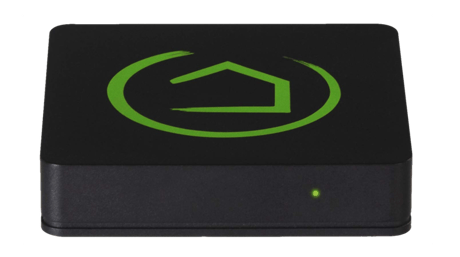
Product Image
1. Start by enabling Z-Wave Inclusion to add devices to the network of the Z-Wave primary controller. 2. Using the Hubitat Elevation mobile app, navigate to Settings and press the Z-Wave Options button. 3. Tap the Learn Mode button, then Start Learn Mode. 4. The primary controller should indicate a device has joined its Z-Wave network. 5. When successfully added, network information from the primary controller will be replicated on the Hubitat Elevation hub.
1. Navigate to http://[Your hub IP address]:8081 (i.e. http://192.168.1.10:8081) 2. Select the Full Reset button. 3. Type the words "full reset" into the box just above the Full Reset button, then press the Full Reset button. 4. After the Full Reset, the hub will automatically shutdown. Warning! Resetting the Hubitat Elevation® hub to factory default values will delete all installed device connections, apps and user code from the hub. All devices connected to your hub will have to be reset or excluded before they can be re- connected. If this controller is the primary Z-Wave controller for your network, resetting it will result in the nodes in your network being orphaned and it will be necessary after the reset to exclude and re-include all of the nodes in the network. If this controller is being used as a secondary Z-Wave controller in the network, use this procedure to reset this controller only in the event that the network primary controller is missing or otherwise inoperable.
The DSK is available in the Hubitat Mobile app.
1. Choose the Z-Wave Details button from your Hubitat Web Interface home page, or from the kabob menu at the top right. 2. If the device is marked FAILED in the Device ID column of the Radilo Details page, a Replace button will be available. Selecting this button will initiate Inclusion Mode so the user may add a new device or the previously joined device. It will be joined to the Hubitat Elevation® hub with the same nodeId as the failed device.
1. Choose the Discover Devices button on your Hubitat Web Interface home page, or from the kabob menu at the top right. 2. Select the Z-Wave button. 3. Press the Start Z-Wave Inclusion button. 4. Enable Learn Mode on the hub that will be the Z-Wave secondary controller. 5. When successfully added, network information from the Hubitat Elevation hub will be replicated on the secondary controller.
1. Using the Hubitat Elevation mobile app, navigate to Settings and press the Z-Wave Options button. 2. Tap the SmartStart button. 3. Tap the + icon. 4. Scan the device QR code. 5. Pull the battery tab, or remove and replace the device battery to initiate automatic joining to the Hubitat Elevation hub. Within 10 minutes, the device will be automatically added to the hub.
1. Choose the Discover Devices button on your Hubitat Web Interface home page, or from the kabob menu at the top right. 2. Select the Z-Wave button. 3. Press the Start Z-Wave Inclusion button. 4. Place your device into Z-Wave Inclusion mode.
1. Choose the Z-Wave Details button from your Hubitat Web Interface home page, or from the kabob menu at the top right. 2. Select the Z-Wave Exclude button. 3. Press the Start Z-Wave Exclusion button. 4. Hubitat Elevation will enter Z-Wave Exclude mode for 30 seconds. A green banner at the top of the page will indicate that exclusion mode has been initiated. 5. Place your device into Z-Wave Exclusion mode. 6. Upon successful exclusion, the Hubitat Elevation hub will display the message “Unknown Z-Wave device successfully excluded”.
1. Using the Hubitat Elevation mobile app, navigate to Settings and press the Z-Wave Options button. 2. Tap the SmartStart button. 3. Tap the + icon. 4. Scan the device QR code. 5. Continue adding additional S2 smartStart devices. Each device's unique Security Key (DSK) will be stored in the hub, but will not be included in the Z-Wave network until they are powered on. The Hubitat Elevation® app will indicate the device status in the Z-Wave network. The device DSK is crossreferenced against the provisioning list and the device is included if authenticated. Within 10 minutes, the device will be automatically added to the hub. 6. Tap the trashcan icon to remove a device from the provisioning list. Removing an item from the SmartStart provisioning list does not remove it from the hub. You must also follow the manufacturer instructions to manually exclude the device or factory reset it, so it will no longer be part of the Z-Wave network. Keeping devices in the provisioning list allows them to be factory reset or excluded, and they will automatically be included in the Z-Wave network again, as long as they have power. NOTE: Any device that has been removed from the provisioning list, but has not been factory reset or excluded from the Z-Wave network, will be automatically included again if it has power, and it will repopulate the provisioning list showing the Included status.
| Type | Value(s) |
|---|
| Group | Type |
|---|---|
| Smoke Alarm |
|
| CO Alarm |
|
| CO2 Alarm |
|
| Heat Alarm |
|
| Water Alarm |
|
| Access Control |
|
| Home Security |
|
| Power Management |
|
| System |
|
| Emergency Alarm |
|
| Clock |
|
| Appliance |
|
| Home Health |
|
| Siren |
|
| Water Valve |
|
| Weather Alarm |
|
| Irrigation |
|
| Gas alarm |
|
| Pest Control |
|
| Light sensor |
|
| Water Quality Monitoring |
|
| Home monitoring |
|
| Request pending notification | State idle |
| Sensor type |
|---|
| Air Temperature |
| General Purpose |
| Illuminance |
| Power |
| Humidity |
| Velocity |
| Direction |
| Atmospheric Pressure |
| Barometric Pressure |
| Solar Radiation |
| Dew Point |
| Rain Rate |
| Tide Level |
| Weight |
| Voltage |
| Current |
| Carbon Dioxide (CO2) Level |
| Air Flow |
| Tank Capacity |
| Distance |
| Angle Position |
| Rotation |
| Water Temperature |
| Soil Temperature |
| Seismic Intensity |
| Seismic Magnitude |
| Ultraviolet |
| Electrical Resistivity |
| Electrical Conductivity |
| Loudness |
| Moisture |
| Frequency |
| Time |
| Target Temperature |
| Particulate Matter 2.5 |
| Formaldehyde (CH2O) Level |
| Radon Concentration |
| Methane (CH4) Density |
| Volatile Organic Compound Level |
| Carbon Monoxide (CO) Level |
| Soil Humidity |
| Soil Reactivity |
| Soil Salinity |
| Heart Rate |
| Blood Pressure |
| Muscle Mass |
| Fat Mass |
| Bone Mass |
| Total Body Water (TBW) |
| Basis Metabolic Rate (BMR) |
| Body Mass Index (BMI) |
| Acceleration X-Axis |
| Acceleration Y-Axis |
| Acceleration Z-Axis |
| Smoke Density |
| Water Flow |
| Water Pressure |
| RF Signal Strength |
| Particulate Matter 10 |
| Respiratory Rate |
| Relative Modulation Level |
| Boiler Water Temperature |
| Domestic Hot Water (DHW) Temperature |
| Outside Temperature |
| Exhaust Temperature |
| Water Chlorine Level |
| Water Acidity |
| Water Oxidation Reduction Potential |
| Heart Rate LF/HF Ratio |
| Motion Direction |
| Applied Force on Sensor |
| Return Air Temperature |
| Supply Air Temperature |
| Condenser Coil Temperature |
| Evaporator Coil Temperature |
| Liquid Line Temperature |
| Discharge Line Temperature |
| Suction (Input) Pressure |
| Discharge (Output) Pressure |
| Defrost Temperature (Sensor Defrost) |
| Ozone (O3) |
| Sulfur Dioxide (SO2) |
| Nitrogen Dioxide (NO2) |
| Ammonia (NH3) |
| Lead (Pb) |
| Particulate Matter 1 |
| Meter type |
|---|
| Cooling Meter Consumption |
| Cooling Meter Production |
| Electric Meter Consumption |
| Electric Meter Production |
| Gas Meter Consumption |
| Gas Meter Production |
| Heating Meter Consumption |
| Heating Meter Production |
| Water Meter Consumption |
| Water Meter Production |