Enbrighten
Z-Wave LED Light Bulb
52190/ ZW7105
Light Dimmer Switch
HW: 1 FW: 4.10
ZM5202
6.81.06
0x0063 (99)
0x4C42 (19522)
0x3035 (12341)
ZC10-20096974
2020-09-17 12:43:21.040824
N/A
Enhanced 232 Slave
Always On Slave
Smart LED light bulb with Z-Wave radio.
Smart LED light bulb with Z-Wave radio. - Control lights remotely and save energy - Compatible with smart home systems supporting Z-Wave - 60 Watt equivalent light (750 lumens) - Consumes only 9 watts of power - 2700K soft light with frosted glass - Instant ON and fully dimmable - Functions as a Z-Wave signal repeater - Very simple to include in your network - Z-Wave Plus certified
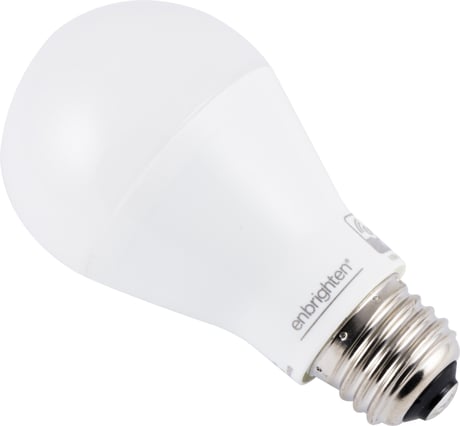
Product Image


1 - Dim Level
When value = 0, the brightness level will resume to full brightness when the Smart Bulb is turned ON every time by manual switch (or when power is restored after a power failure). When value = 1, the brightness level will maintain same dim level as the last setting when the Smart Bulb is turned ON again by manual switch (ow when power is restored after a power failure). When value = 2, restoring power to the light bulb will always keep last lamp status.Size: 1 byte
Default: 2
Minimum: 0
Maximum: 2
Possible values
| From | To | Desription |
|---|---|---|
| 0 | 2 | Dim level when light bulb is turned ON |
9 - Dim Level
When the value is low, dimming brightness is gradual. When the value is high, dimming brightness is rapid.Size: 1 byte
Default: 99
Minimum: 1
Maximum: 99
Possible values
| From | To | Desription |
|---|---|---|
| 1 | 99 | Dim level when light bulb is turned ON |
10 - Dimming/Brightening Step Timing
When the value is low, the step timing is quick. When the value is high, the step timing is slow.Size: 1 byte
Default: 10
Minimum: 0
Maximum: 10
Possible values
| From | To | Desription |
|---|---|---|
| 0 | 10 | Dim Speed |
1. When initially powered, the bulb is in SmartStart inclusion mode. If your hub supports SmartStart, scan the QR code. 2. To change to classic inclusion mode, turn bulb OFF, then ON three times. The bulb rapidly flashes four times to indicate classic mode. 3. To change back to SmartStart inclusion mode, turn the bulb OFF, then ON three times. The bulb rapidly flashes six times to indicate SmartStart mode.
1. Follow the instructions for your Z-Wave certified controller to remove a device from the Z-Wave network. 2. Once the controller is ready to remove your device, turn ON the light switch. The smart bulb flashes twice when removed from the network.
Starting with the bulb on, cycle the wall switch OFF/ON four times. 1. Turn the switch off, pause one second, then turn back ON. 2. Repeat three times (four times total). 3. The smart bulb flashes twice when reset.
If prompted by the controller to enter the S2 security code, refer to the QR code/security number on the side of the box or the QR code label on the product (see Figure 1).
| Type | Value(s) |
|---|