Jasco
Portable Smart Motion Sensor
52251/ZW6307
Notification Sensor
HW: 1 FW: 7.05
ZGM130
7.13.5
0x0063 (99)
0x4953 (18771)
0x3238 (12856)
ZC12-20090125
2020-09-15 11:16:10.134631
N/A
Enhanced 232 Slave
Reporting Sleeping Slave
Yes
The Z-Wave Portable Smart Motion Sensor boosts the safety of your home by working with your home’s gateway to wirelessly trigger scenes and send alerts to your smartphone or tablet whenever motion is detected.
Make the move toward convenience with the Z-Wave Portable Smart Motion Sensor for your home. This Z-Wave compatible device boosts the safety of your home by working with your home’s gateway to wirelessly trigger scenes and send alerts to your smartphone or tablet whenever motion is detected. Use the included batteries for easy placement anywhere, plug into the wall using a AC adapter and USB cable – never replace batteries again.
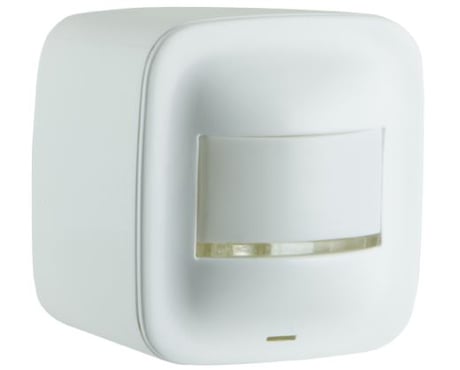
Product Image


13 - PIR Sensitivity
Configuration the motion sensitivity high medium or lowSize: 1 byte
Default: 3
Minimum: 1
Maximum: 3
Possible values
| From | To | Desription |
|---|---|---|
| 1 | 1 | Low Sensitivity |
| 2 | 2 | Medium Sensitivity |
| 3 | 3 | High Sensitivity |
18 - Motion timeout duration
Timeout duration Motion detect, when battery operated (1-60), when USB powered it is continually 5 secondsSize: 1 byte
Default: 1
Minimum: 1
Maximum: 127
Possible values
| From | To | Desription |
|---|---|---|
| 1 | 60 | Timeout duration after detection in minutes |
| 127 | 127 | 5 seconds |
19 - alternate exclusion
Alternate exclusion mode press button one time or three timesSize: 1 byte
Default: 0
Minimum: 0
Maximum: 1
Possible values
| From | To | Desription |
|---|---|---|
| 0 | 0 | Classic inclusion |
| 1 | 1 | Alternate inclusion |
20 - Notification
Notification reportSize: 1 byte
Default: 1
Minimum: 1
Maximum: 1
Possible values
| From | To | Desription |
|---|---|---|
| 1 | 1 | Sensor will send out Notification |
23 - Battery report interval
Set the interval timer of battery reportSize: 2 bytes
Default: 1440
Minimum: 5
Maximum: 1440
Possible values
| From | To | Desription |
|---|---|---|
| 5 | 1440 | Interval between reports of battery level |
28 - Motion action blink LED
Disable or Enable Motion action blink LEDSize: 1 byte
Default: 1
Minimum: 0
Maximum: 1
Possible values
| From | To | Desription |
|---|---|---|
| 0 | 0 | Disable LED |
| 1 | 1 | Enabled |
1. Follow the instructions for your Z-Wave certified controller to add the device in the Z-Wave network. 2. Once the controller is ready to add your motion sensor, press and release the button on the sensor. 3. The blue LED will continue to flash quickly after it locates a network – the controller’s app will indicate if it discovers the sensor. If prompted by the controller to enter the S2 security code, refer to the QR code/security number on the back of the box or the QR code label on the product (see figure 3). Enter the 5-digit code. 4. The blue LED will activate for 3 seconds to confirm it has been added in the network.
1. Follow the instructions for your Z-Wave certified controller to remove the device from the Z-Wave network. 2. Once the controller is ready to remove your motion sensor, press and release the button on the sensor. 3. The LED will blink 5 times
Press the programming button
1. Press the button 10 times within 6 seconds (interval between 2 presses of the button cannot be longer than 1 second). 2. The blue LED will blink 3 times
If prompted by the controller to enter the S2 security code, refer to the QR code/security number on the back of the box or the QR code label on the product (see figure 3).
| Type | Value(s) |
|---|
| Group | Type |
|---|---|
| Home Security | Motion sensor status: Motion detection |