keyWe
KeyWe Smart Rim Lock
GKDL-5100Z
Lock
HW: 1 FW: 1.00:01.00
ZGM130
7.12.2
0x037B (891)
0x0011 (17)
0x0001 (1)
ZC12-20090116
2020-09-02 11:03:59.903873
N/A
Enhanced 232 Slave
Listening Sleeping Slave
Yes
Smart lock that can be used conveniently with Z-Wave and Bluetooth.
The GKDL-5100Z is a smart lock that can be conveniently used with Z-Wave and Bluetooth. You can control the door lock directly from the phone via the Bluetooth function in close range. You can also check the status of the door lock on the outside by connecting to the Z-Wave hub.
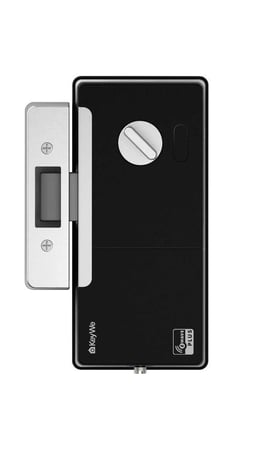
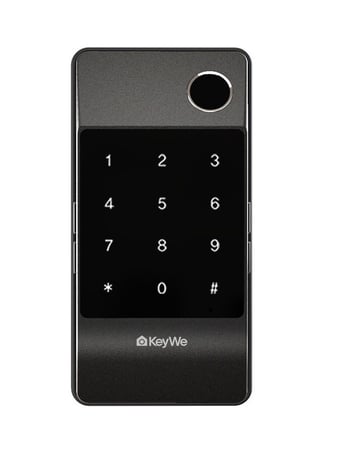
Product Image
It is installed inside the door.


1 - VOLUME
It means door lock’s volumeSize: 1 byte
Default: 2
Minimum: 1
Maximum: 3
Possible values
| From | To | Desription |
|---|---|---|
| 1 | 1 | It's value means mute. |
| 2 | 2 | It's value means normal volume. |
| 3 | 3 | It's value means loud volume. |
2 - DOOR LOCK MODE
It means door lock’s locking mode(auto/manual)Size: 1 byte
Default: 1
Minimum: 1
Maximum: 2
Possible values
| From | To | Desription |
|---|---|---|
| 1 | 1 | It's value means door lock auto mode. |
| 2 | 2 | It's value means door lock manual mode. |
3 - RE LOCK TIME
It means door lock’s re-lock timeSize: 1 byte
Default: 7
Minimum: 1
Maximum: 30
Possible values
| From | To | Desription |
|---|---|---|
| 1 | 30 | It's values means door lock re-lock time. Unit is second. |
Please proceed with the door lock open. 1. Set the controller in inclusion mode. 2. Open the battery cover of the indoor body and press the [REG] button. 3. Press the Master Pin [1][2][3][4] (Default value) button after pressing the [#] button. 4. Press the [8][8] button after pressing the [*] button.
Please proceed with the door lock open. 1. Set the controller in exclusion mode. 2. Open the battery cover of the indoor body and press the [REG] button. 3. Press the Master Pin [1][2][3][4] (Default value) button after pressing the [#] button. 4. Press the [9][9] button after pressing the [*] button.
To wake up the product, the following actions are required. 1. Touch the keypad on outdoor body. 2. Push the button on Indoor body. 3. Turn the knob on Indoor body.
Please proceed with the door lock open. Please use this procedure only when the primary controller is missing or otherwise inoperable. 1. Open the battery cover of the indoor body and press the [REG] button. 2. Press the Master Pin [1][2][3][4] (Default value) button after pressing the [#] button. 3. Press the [5] button after pressing the [*] button. 4. Press the [2] button after pressing the [*] button. 5. Press the Master Pin [1][2][3][4] (Default value) button after pressing the [#] button *Master pins can change user settings.
DSK number is posted below location. 1) Product : Left side of Indoor Body 2) Package Box : Rear Right Top
| Type | Value(s) |
|---|
| Group | Type |
|---|---|
| Access Control |
|
| Emergency Alarm |
|