Minoston
S2 Smart ON/OFF Toggle Switch
MS12ZS
On/Off Power Switch
HW: 1 FW: 1.00
ZM5202
6.81.03
0x0312 (786)
0xEE00 (60928)
0xEE03 (60931)
ZC10-20096980
2020-09-18 15:56:50.845704
N/A
Enhanced 232 Slave
Always On Slave
This is a wall intelligent switch panel with built-in Z-Wave S2 protocol and z-Wave gateway. It can realize timing, countdown, remote control, scene mode and other functions.
This is a wall intelligent switch panel with built-in Z-Wave S2 protocol and z-Wave gateway. It can realize timing, countdown, remote control, scene mode and other functions. This product is a power product with built-in relay function.
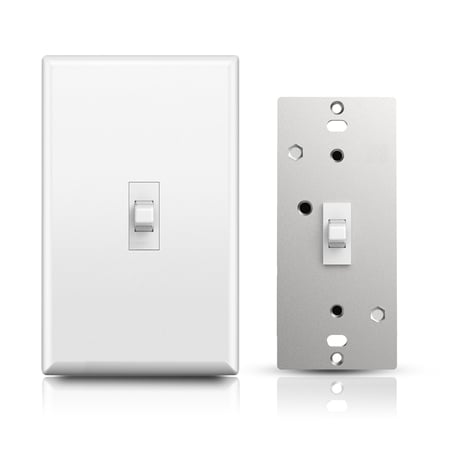
Product Image


1 - Locally Button function
Locally Button functionSize: 1 byte
Default: 0
Minimum: 0
Maximum: 2
Possible values
| From | To | Desription |
|---|---|---|
| 0 | 0 | Up Button ON,Down Button OFF |
| 1 | 1 | Up Button OFF,Down Button ON |
| 2 | 2 | Up Button ON/OFF,Down Button ON/OFF |
2 - Status LED Configuration
Status LED ConfigurationSize: 1 byte
Default: 0
Minimum: 0
Maximum: 3
Possible values
| From | To | Desription |
|---|---|---|
| 0 | 0 | Output and the LED are in the different state |
| 1 | 1 | Output and the LED are in the same state |
| 2 | 2 | LED Always OFF |
| 3 | 3 | LED Always ON |
3 - Enable Auto Turn-Off Timer
Enable Auto Turn-Off TimerSize: 1 byte
Default: 0
Minimum: 0
Maximum: 1
Possible values
| From | To | Desription |
|---|---|---|
| 0 | 0 | timer disabled |
| 1 | 1 | timer enabled |
4 - Auto Turn-Off Timer
Auto Turn-Off TimerSize: 4 bytes
Default: 60
Minimum: 1
Maximum: 65535
Possible values
| From | To | Desription |
|---|---|---|
| 1 | 65535 | Auto Turn-Off this Timer |
5 - Auto Turn-On Timer
Size: 1 byte
Default: 0
Minimum: 0
Maximum: 1
Possible values
| From | To | Desription |
|---|---|---|
| 0 | 0 | timer disabled |
| 1 | 1 | timer enabled |
6 - Auto Turn-On Timer
Size: 4 bytes
Default: 60
Minimum: 1
Maximum: 65535
Possible values
| From | To | Desription |
|---|---|---|
| 1 | 65535 | Auto Turn-On this Timer |
7 - Association Setting Parameter
Association Setting ParameterSize: 1 byte
Default: 15
Minimum: 0
Maximum: 15
Possible values
| From | To | Desription |
|---|---|---|
| 0 | 0 | None |
| 1 | 1 | Local |
| 2 | 2 | 3-way |
| 3 | 3 | 3-way&Local |
| 4 | 4 | Z-Wave Hub |
| 5 | 5 | Z-Wave hub&Local |
| 6 | 6 | Z-Wave hub&3-way |
| 7 | 7 | Z-Wave hub&Local&3-way |
| 8 | 8 | Timer |
| 9 | 9 | Timer&Local |
| 10 | 10 | Timer&3-way |
| 11 | 11 | Timer&3-way&Local |
| 12 | 12 | Timer&Z-Wave hub |
| 13 | 13 | Timer&Z-Wave hub&Local |
| 14 | 14 | Timer&Z-Wave hub&3-way |
| 15 | 15 | All |
8 - Restores state after power failure
Restores state after power failureSize: 1 byte
Default: 2
Minimum: 0
Maximum: 2
Possible values
| From | To | Desription |
|---|---|---|
| 0 | 0 | Output OFF |
| 1 | 1 | Output OFF |
| 2 | 2 | The state before a power outage |
9 - Enable or Disable local control
Enable or Disable local controlSize: 1 byte
Default: 1
Minimum: 0
Maximum: 1
Possible values
| From | To | Desription |
|---|---|---|
| 0 | 0 | disable |
| 1 | 1 | enable |
ADD the MS12ZS from the existing Z-Wave home control network with your primary controller. ---Refer to your primary controller instructions to process the inclusion / exclusion setup procedure. ---When prompted by your primary controller, click the Up or Down button three times in one second. Include MS12ZS to/from a Z-Wave Gateway with supporting Security.The MS12ZS can support the Primary Controller that implemented the security S2.
Remove the MS12ZS from the existing Z-Wave home control network with your primary controller. ---Refer to your primary controller instructions to process the inclusion / exclusion setup procedure. ---When prompted by your primary controller, click the Up or Down button three times in one second. Include MS12ZS to/from a Z-Wave Gateway with supporting Security.The MS12ZS can support the Primary Controller that implemented the security S2.
MANUAL RESET ---Power off MS12ZS ---keep holding the PROG button ---Power on,Press and keep holding the PROG button for no less than 10 seconds. Please use this procedure only when the network primary controller is missing or otherwise inoperable."
| Type | Value(s) |
|---|