Hugolog powered by KAADAS
Digital Mortise Door Lock
HU04
Door Lock - Keypad
HW: 3 FW: 1.01:02.00
ZM5202
6.81.06
0x021D (541)
0x0003 (3)
0x0003 (3)
ZC10-20116997
2020-11-09 09:25:53.767536
N/A
Enhanced 232 Slave
Listening Sleeping Slave
Yes
Z-Wave Controlled mortise Door Lock with key pad and finger print scanner.
This product supports Security 2 Command Class. While a Security S2 enabled Controller is needed in order to fully use the security feature. This product can be operated in any Z-Wave network with other Z-Wave certified products from other manufacturers. All mains operated nodes within the network will act as repeaters regardless of vendor to increase reliability of the network. This product supports the Over The Air (OTA) feature for the product's firmware upgrade.
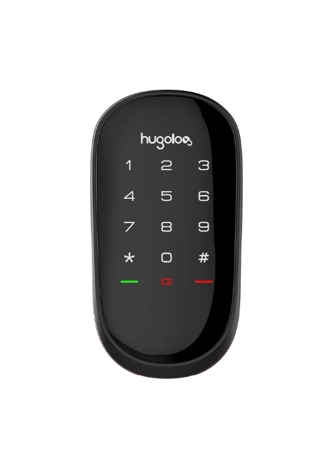
Product Image
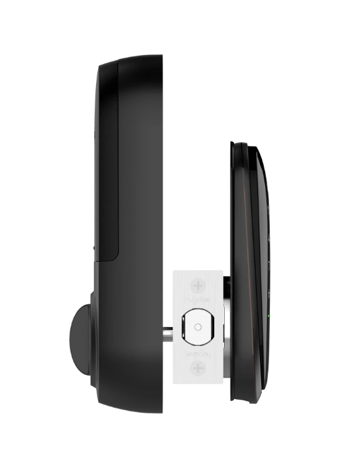
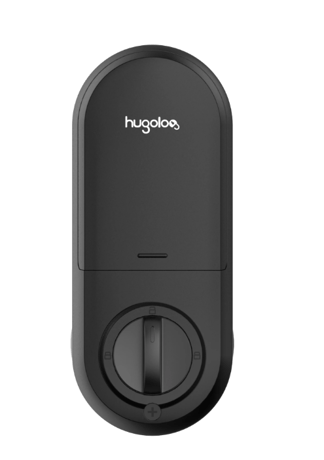
Join a network: inclusion Z-Wave network and add the lock. 1.Follow the user guide of hub to enter inclusion mode. 2.Operate on lock following guide below: 3.Enter master mode(** + Master PIN Code + #), Wait for 2 Green Lights + 2 Beeps 4.Input “8+1+#” to enter “Inclusion mode” (2 Green Lights + 2 Beeps)
Log off a network: Exclusion Z-Wave network and remove the lock 1.Follow the user guide of hub to enter exclusion mode. 2.Operate on lock following guide below: 3.Enter master mode(** + Master PIN Code + #), Wait for 2 Green Lights + 2 Beeps 4.Input “8+2+#” to enter “Exclusion mode”(2 Green Lights + 2 Beeps)
Not Applicatable
Factory reset: 1.Operations on lock 2.Open the door and keep the lock in "unlock" status 3.Open battery box and find the reset button. 4.Use a sharp thing to press and hold the reset button. 5.Keep holding the reset button for 5 seconds until hearing voice guide.
You can find the QR code and DSK on back side of module.
Type: HU04-Advanced Information Product Manual.pdf
Name: HU04-Advanced Information Product Manual.pdf
| Type | Value(s) |
|---|
| Group | Type |
|---|---|
| Access Control |
|