Heatit controls
Heatit ZM Single Relay 16A
ZM Single Relay 16A
Binary Switch
HW: 1 FW: 1.00
ZGM130
7.13.7
0x019B (411)
0x0004 (4)
0x3500 (13568)
ZC12-21010159
2021-01-06 13:07:01.296532
N/A
Enhanced 232 Slave
Always On Slave
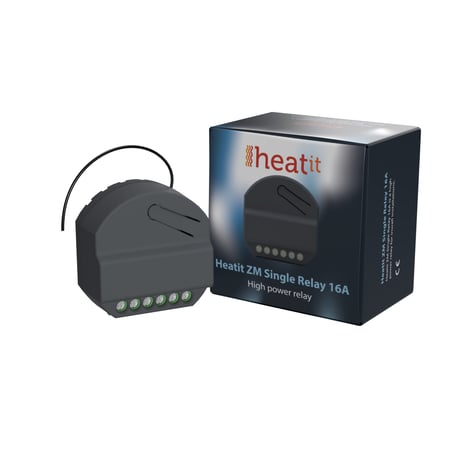
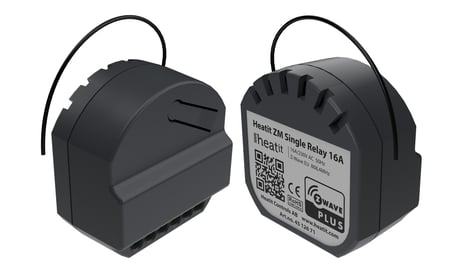
Heatit ZM Single Relay is a high power relay for in-wall installations.
Heatit ZM Single Relay is a high power relay for in-wall installations. The relay allows you to control connected devices either through your Z-Wave network or via a wired switch. The module is equipped with a 16A relay and has a scene controller functionality. The device can withstand a load of max 16A /3600W at 230VAC. The Heatit ZM Single Relay has a power metering feature that allows you to monitor the power consumption of your connected devices.
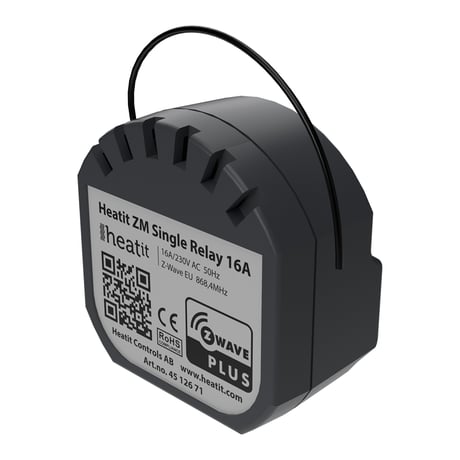
Product Image


1 - Load limit
Ensures that the device does not draw more current than rated. Immunity for power consumption peaks.Size: 1 byte
Default: 16
Minimum: 1
Maximum: 16
Possible values
| From | To | Desription |
|---|---|---|
| 1 | 16 | 1-16 ampere. Default is 16 (16 ampere) |
2 - Power shutdown actions
Decide how the device should react when the overload/overheating features has turned relay OFFSize: 2 bytes
Default: 20
Minimum: 0
Maximum: 32767
Possible values
| From | To | Desription |
|---|---|---|
| 0 | 0 | Disabled and will not retry. User needs to manually turn on afterwards. If temperature overload is on, device will not turn on until device has cooled down. |
| 1 | 32767 | After power shut down (param 1) device will try to turn back ON after delay specified here. (Time in minutes) |
3 - Switch Type
Decides what type of switch is connected.Size: 1 byte
Default: 0
Minimum: 0
Maximum: 1
Possible values
| From | To | Desription |
|---|---|---|
| 0 | 0 | Momentary Switch |
| 1 | 1 | Toggle Switch |
4 - S1/Button operation
S1/Button operationSize: 1 byte
Default: 0
Minimum: 0
Maximum: 1
Possible values
| From | To | Desription |
|---|---|---|
| 0 | 0 | Button turns load on/off and sends Meter report + Relay status. |
| 1 | 1 | Button sends Meter report + Relay status, load can be only controlled wirelessly |
5 - Scene notifications
Decides if/what scene controller notifications the device sends to gateway.Size: 1 byte
Default: 0
Minimum: 0
Maximum: 3
Possible values
| From | To | Desription |
|---|---|---|
| 0 | 0 | Sends scene controller for S2. S1 disabled |
| 1 | 1 | Sends scene controller for S1. S2 disabled |
| 2 | 2 | Sends scene controller for S1 and S2 |
| 3 | 3 | Scene controller deactivated. |
6 - Restore Power Level
Relay power level after power is restored from power-outage. When device is from factory/factory reset the first state of the device should be OFFSize: 1 byte
Default: 2
Minimum: 0
Maximum: 2
Possible values
| From | To | Desription |
|---|---|---|
| 0 | 0 | Always OFF on restored power |
| 1 | 1 | Always ON on restored power |
| 2 | 2 | Restore last state on restored power (Default) |
7 - Automatic Turn off
Time to turn relay OFF after having been turned ONSize: 4 bytes
Default: 0
Minimum: 0
Maximum: 86400
Possible values
| From | To | Desription |
|---|---|---|
| 0 | 0 | Auto OFF disabled. |
| 1 | 86400 | Auto OFF timeout in seconds |
8 - Automatic Turn on
Time to turn relay ON after having been turned OFFSize: 4 bytes
Default: 0
Minimum: 0
Maximum: 86400
Possible values
| From | To | Desription |
|---|---|---|
| 0 | 0 | Auto ON disabled. |
| 1 | 86400 | Auto ON timeout in seconds |
9 - Inverted Output
Decides if the relay output should be invertedSize: 1 byte
Default: 0
Minimum: 0
Maximum: 1
Possible values
| From | To | Desription |
|---|---|---|
| 0 | 0 | Standard operation |
| 1 | 1 | Inverted Output |
10 - Meter report interval
Time interval between consecutive meter reports. Meter reports can also be sent as a result of polling.Size: 2 bytes
Default: 900
Minimum: 30
Maximum: 32767
Possible values
| From | To | Desription |
|---|---|---|
| 30 | 32767 | 30 seconds – 32767 seconds. |
11 - Meter report delta value
Meter report delta valueSize: 2 bytes
Default: 75
Minimum: 5
Maximum: 3600
Possible values
| From | To | Desription |
|---|---|---|
| 5 | 3600 | 5-3600W. |
The primary controller/gateway has a mode for adding devices. Please refer to your primary controller manual on how to set the primary controller in add mode. The device may only be added to the network if the primary controller is in add mode. There are two ways to add the Heatit ZM Single Relay 16A to a Z-Wave network. *Method 1: Standard (Manual) Add mode is indicated on the device by a blinking green LED. This lasts until timeout occurs after 90 seconds, or until the module has been added to the network. The LED will light up for 3 seconds if adding is successful. Method 2: SmartStart (Automatic) SmartStart enabled products may be added to a Z-Wave network by scanning the Z-Wave QR-Code on the product if your primary controller supports SmartStart inclusion. No further action is required and the SmartStart product will be added automatically after being powered on within range of the primary controller.
The primary controller/gateway has a mode for removing devices. Please refer to your primary controller manual on how to set the primary controller in remove mode. The device may only be removed from the network if the primary controller is in remove mode. Remove mode is indicated on the device by a blinking green LED. This lasts until timeout occurs after 90 seconds, or until the module has been removed from the network. The LED will light up for 3 seconds if removing is successful.
Press and hold the configuration button. After 3 seconds the LED will start to blink in green. After 20 seconds the LED will stop blinking and emit a constant light. You may now release the button. NB! Please use this procedure only when the primary controller/ gateway is missing or otherwise inoperable.
Paragraph 10.1 - Overload Paragraph 10.2 - Overheating
The QR-Code is needed when including a device using S2 security or SmartStart. The DSK can be found in the QR-Code and is located; 1. On the product. 2. On the Quick Guide manual. 3. On the product box.
| Type | Value(s) |
|---|
| Group | Type |
|---|---|
| Heat Alarm |
|
| Power Management |
|
| Meter type |
|---|
| Electric Meter Consumption |