Johnson Controls
Smart Plug In Dimmer
IQ Dimmer
Multilevel Switch
HW: 1 FW: 7.03
ZGM130
7.13.6
0x012A (298)
0x4744 (18244)
0x3034 (12340)
ZC12-21030202
2021-03-19 13:32:34.368896
N/A
Enhanced 232 Slave
Always On Slave
Make any outlet smarter with the new IQ Dimmer using the 700 series Z-Wave module
Make any outlet smarter! • Works with incandescent and most dimmable florescent (CFL), or LED lighting • 700 Series Z-Wave module • LED to indicate ON/OFF status • Remotely or manually turns ON or OFF, or DIM lights • Controls light fixtures up to 300W incandescent and 65W Dimmable LED/CFL • Z-Wave Plus Certified (QR code on bottom of device) • Safety tab to secure unit to AC outlet • Compact design - does not block 2nd AC outlet • Supports Network Wide Inclusion (through a repeater) • Works as Z-Wave Repeater • Create rules to automate lights & scenes
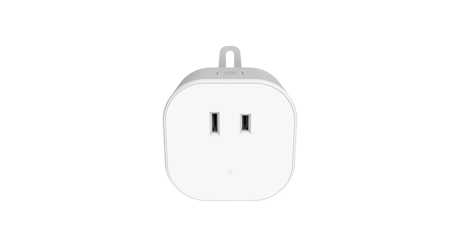
Product Image
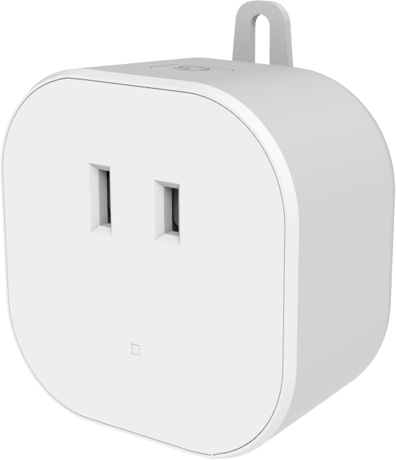


3 - LED Mode Indicator
When value = 0, the LED indicator will be OFF when the connected appliance is ON, and the LED indicator will be ON when the connected appliance is OFF. If value = 1, the LED indicator will be OFF when the connected appliance is OFF, and the LED indicator will be ON when the connected appliance is ON. If value = 2, the LED indicator will be always OFF regardless of the load status.Size: 1 byte
Default: 0
Minimum: 0
Maximum: 2
Possible values
| From | To | Desription |
|---|---|---|
| 0 | 2 | When value = 0, the LED indicator will be OFF when the connected appliance is ON, and the LED indicator will be ON when the connected appliance is OFF. If value = 1, the LED indicator will be OFF when the connected appliance is OFF, and the LED indicator will be ON when the connected appliance is ON. If value = 2, the LED indicator will be always OFF regardless of the load status. |
11 - Set dimmer ramp rate (remote)
Valid Values: 0-99, 0=No delay (instant ON), 1=1 secondSize: 1 byte
Default: 3
Minimum: 0
Maximum: 90
Possible values
| From | To | Desription |
|---|---|---|
| 0 | 90 | Valid Values: 0-99, 0=No delay (instant ON), 1=1 second |
12 - Set dimmer ramp rate (local)
Valid Values: 0-99, 0=No delay (instant ON), 1=1 secondSize: 1 byte
Default: 3
Minimum: 0
Maximum: 90
Possible values
| From | To | Desription |
|---|---|---|
| 0 | 90 | Valid Values: 0-99, 0=No delay (instant ON), 1=1 second |
1. Place your network controller into inclusion mode by following the controller manufacturer's instructions. 2. When the controller is ready, single click the button on the top of the IQ Dimmer. The controller should indicate that the new device was added successfully. 3. Once the IQ Dimmer has been successfully added to your home network, you can move it to the preferred location in the home.
1. Place your network controller into exclusion mode by following the controller manufacturer's instructions. 2. When the controller is ready, single click the button on the top of the IQ Dimmer. The controller should indicate that the new device was added successfully. 3. Once the IQ Dimmer has been successfully added to your home network, you can move it to the preferred location in the home.
If Inclusion still fails after the 2nd attempt, you need to first reset the IQ Dimmer before repeating the above step. The manual reset method is as follows: 1. Unplug the IQ Dimmer from the AC outlet and also unplug the power plug of the appliance from the IQ Dimmer (if plugged in). 2. Press and hold the button on the IQ Dimmer. 3. Plug the IQ Dimmer back into the AC outlet with the button pressed.
Z-Wave Plus Certified with S2 security and SmartStart (QR code on bottom of device)
| Type | Value(s) |
|---|
| Group | Type |
|---|---|
| Power Management | Power status: Power has been applied |
| Sensor type |
|---|
| Illuminance |
| Meter type |
|---|
| Electric Meter Consumption |