Zooz
REMOTE SWITCH
ZEN34
Central Scene Device
HW: 1 FW: 1.00
ZGM130
7.13.6
0x027A (634)
0x7000 (28672)
0xF001 (61441)
ZC12-21030192
2021-03-04 17:09:22.804254
N/A
Enhanced 232 Slave
Reporting Sleeping Slave
Yes
It's a Z-Wave Remote Control that looks like a wall switch! Install it in a standard switch box or stick it to a wall for handy control.
FEATURES: - Control other Z-Wave devices and enable scenes with a click of a button - Classic paddle switch look and size + magnetic base - Install in your electrical switch box or mount anywhere on a wall with just adhesive tape - The latest 700 chip with S2 and SmartStart support - Powered by batteries, no wires needed SPECS: - Model Number: ZEN34 - Z-Wave Signal Frequency: 908.42 MHz - Power: 2 x CR2032 batteries - Operating Temperature: 32 – 104° F - Range: Up to 250 feet line of sight - Installation and Use: Indoor Only
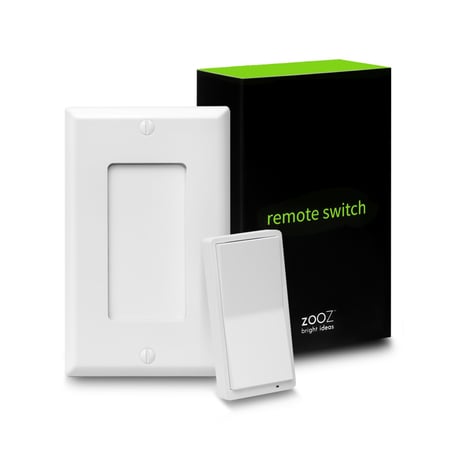
Product Image


1 - LED Indicator Mode
Choose the LED indicator mode for your Remote Switch.Size: 1 byte
Default: 1
Minimum: 0
Maximum: 3
Possible values
| From | To | Desription |
|---|---|---|
| 0 | 0 | LED always off |
| 1 | 1 | LED on when button is pressed to indicate scene activation or association command (LED blinks once for single tap, twice for double tap, etc.) |
| 2 | 2 | LED always on in color specified under parameter 2 |
| 3 | 3 | LED always on in color specified under parameter 3 |
2 - LED Indicator Color for the Upper paddle
Choose the LED indicator color for the upper paddle remote control triggersSize: 1 byte
Default: 1
Minimum: 0
Maximum: 6
Possible values
| From | To | Desription |
|---|---|---|
| 0 | 0 | white |
| 1 | 1 | blue |
| 2 | 2 | green |
| 3 | 3 | red |
| 4 | 4 | magenta |
| 5 | 5 | yellow |
| 6 | 6 | cyan |
3 - LED Indicator Color for the Lower Paddle
Choose the LED indicator color for the lower paddle remote control triggersSize: 1 byte
Default: 0
Minimum: 0
Maximum: 6
Possible values
| From | To | Desription |
|---|---|---|
| 0 | 0 | white |
| 1 | 1 | blue |
| 2 | 2 | green |
| 3 | 3 | red |
| 4 | 4 | magenta |
| 5 | 5 | yellow |
| 6 | 6 | cyan |
Put your Z-Wave hub into inclusion mode and click the upper paddle 6 times quickly. The LED indicator will blink blue during the process and light up green once added successfully. It will light up red if failed.
1. Bring the Remote Switch within direct range of your Z-Wave gateway (hub). 2. Put the Z-Wave hub into exclusion mode (not sure how to do that? [email protected]). 3. Click the lower paddle 6 times very quickly 4. Your hub will confirm exclusion and the device will disappear from your controller's device list.
You will need to wake the Remote Switch up when changing any advanced settings or assigning any new scenes or actions to it. Click the upper paddle 7 times as quickly as possible to wake the device up. The LED indicator will stay on solid blue during wake-up and will turn off when the device turns the Z-Wave radio off again.
When your network’s primary controller is missing or otherwise inoperable, you may need to reset the device to factory settings manually. In order to complete the process, make sure the device is powered, then tap-tap- tap’and’hold the upper paddle. The LED indicator will blink red 5 times to indicate successful reset.
Magnetic switch box base and matching wall plate included.
Under Z-Wave Control > Add device (page 2)
| Type | Value(s) |
|---|