Alfred
Digital Mortise Door Lock
ML2
Lock
HW: 3 FW: 1.01:02.00
ZGM130
7.13.7
0x021D (541)
0x0103 (259)
0x0003 (3)
ZC12-21040224
2021-04-28 23:11:37.667877
N/A
Enhanced 232 Slave
Listening Sleeping Slave
Z-Wave Controlled mortise Door Lock with key pad and Ćnger print scanner.
This product supports Security 2 Command Class. While a Security S2 enabled Controller is needed in order to fully use the security feature. This product can be operated in any Z-Wave network with other Z- Wave certiĆed products from other manufacturers. All mains operated nodes within the network will act as repeaters regardless of vendor to increase reliability of the network. This product supports the Over The Air (OTA) feature for the product's firmware upgrade.
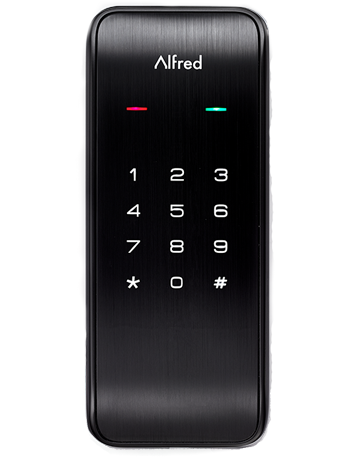
Product Image


1 - Configure volume level
Configure volume levelSize: 1 byte
Default: 2
Minimum: 0
Maximum: 2
Possible values
| From | To | Desription |
|---|---|---|
| 0 | 0 | silent |
| 1 | 1 | Low volume |
| 2 | 2 | High volume |
2 - Configure led
Enable/disable ledSize: 1 byte
Default: 1
Minimum: 0
Maximum: 1
Possible values
| From | To | Desription |
|---|---|---|
| 0 | 0 | OFF |
| 1 | 1 | ON(blink) |
3 - Timed battery report
Enable/Disable timed battery report and sets how often battery is reported in minutes.Size: 2 bytes
Default: 1440
Minimum: 0
Maximum: 14400
Possible values
| From | To | Desription |
|---|---|---|
| 0 | 0 | Disable timed battery report. |
| 1 | 14400 | Enable timed battery report and sets how often battery is reported in minutes. |
4 - Association Group 2 Settings
Determine the Basic Set value to control other Z-Wave devices directly.Size: 1 byte
Default: 1
Minimum: 0
Maximum: 6
Possible values
| From | To | Desription |
|---|---|---|
| 0 | 0 | Disable completely. |
| 1 | 1 | Unlocked Status sends Basic SET 0xFF, Locked Status sends Basic SET 0x00. |
| 2 | 2 | Unlocked Status sends Basic SET 0x00, Locked Status sends Basic Set 0xFF. |
| 3 | 3 | Sends only Basic SET 0xFF when Unlocked Status happens. |
| 4 | 4 | Sends only Basic SET 0x00 when Locked Status happens. |
| 5 | 5 | Sends only Basic SET 0x00 when Unlocked Status happens. |
| 6 | 6 | Sends only Basic SET 0xFF when Locked Status happens. |
1. Follow the user guide of hub to enter inclusion mode. 2. Operate on lock following guide below: 1) Enter master mode(** + Master PIN Code + √) 2) Input “8” to enter “function extension settings” 3) Input “1” to enter “Inclusion mode”
1. Follow the user guide of hub to enter exclusion mode. 2. Operate on lock following guide below: 1) Enter master mode(** + Master PIN Code + √) 2) Input “8” to enter “function extension settings” 3) Input “2” to enter “Exclusion mode”
The Device Role Types is Listening Sleeping Slave (LSS).
1. Operations on lock 1) Open the door and keep the lock in "unlock" status 2) Open battery box and find the reset button. 3) Use a sharp thing to press and hold the reset button. 4) Keep holding the reset button and remove the battery from battery box then replace it. 5) Keep holding the reset button down until you hear the lock beep (Can take up to 10 seconds). 2. Please use this procedure only when the network primary controller is missing or otherwise inoperable.
Section 3.7 in ML2 Advanced Information Product Manual
| Type | Value(s) |
|---|
| Group | Type |
|---|---|
| Access Control |
|
| Home Security | Cover status: Tampering, product cover removed |