SENGLED
SENGLED Smart LED Classic A19 CRI90
V11-N13
Multilevel Switch
HW: 1 FW: 2.11
EFR32Z
None
0x0454 (1108)
0x0004 (4)
0x0007 (7)
ZC12-21080290
2021-08-10 12:05:54.112099
N/A
Enhanced 232 Slave
Always On Slave
Sengled Z-Wave™ Classic A19 2700K 800LM
Sengled Smart Z-Wave LED bulbs can be operated in any Z-Wave™ network with other Z-Wave™ certified devices from other manufacturers. All non-battery operated nodes within the network will act as repeaters regardless of vendor to increase reliability of the network. These bulbs enable you to control your lights in multiple ways—on/off, dimming, schedules, etc.— through the Z-Wave™ network and its app on your phones (Certified Z-Wave hub required).
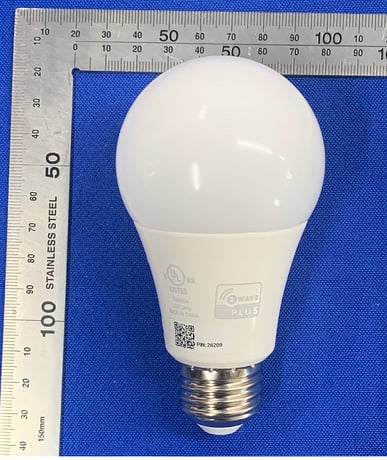
Product Image
Power cycle Sengled Smart Z-Wave™ bulb once within 2 seconds and keep the bulb on, it can go to the Inclusion mode. Then enable the Inclusion command in app can add the bulb successfully. If you would like to stop the Inclusion mode, power off the bulb more than 8 seconds, then you power on it, it can go to SmartStart mode again.
If you would like to remove the bulb from your app, keep your bulb online and light on, then click the Exclusion button on your app, and power cycle the desired bulb once and keep on, it will be deleted from app automatically. Note: the bulb that you want to delete should be within the required time. If you want to delete another device, you should try the same operation again.
To reset your Smart Z-Wave™ bulb to factory mode, ensure that the bulb is on firstly, then quickly turn the bulb off and on at least 5 times (using a light switch or power bar works best). If the reset is successful, the bulb will flash 3 times, and the device in app will be removed automatically. If it does not flash 3 times, you will have to try again. Once successfully reset, please try to pair it again.
Switch multilevel
Security and non-Security features of bulb