iDevices
In-Wall Smart Switch
61301/ZW4008
On/Off Power Switch
HW: 255 FW: 5.55
ZM5202
6.81.03
0x0458 (1112)
0x4952 (18770)
0x3136 (12598)
ZC10-21107058
2021-10-05 15:32:34.61616
N/A
Enhanced 232 Slave
Always On Slave
Z-Wave Plus™ In-Wall Smart Switch replaces existing light switch and allows remote control from any Z-Wave™ certified hub.
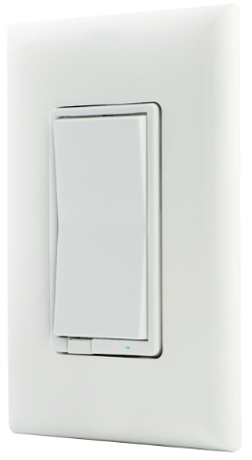
Product Image


3 - LED Indication Configuration
LED Indication ConfigurationSize: 1 byte
Default: 0
Minimum: 0
Maximum: 3
Possible values
| From | To | Desription |
|---|---|---|
| 0 | 0 | LED ON when device is OFF, LED is OFF when device is ON |
| 1 | 1 | LED ON when device is ON, LED is OFF when device is OFF |
| 2 | 2 | LED always OFF |
| 3 | 3 | LED Always ON |
19 - Alternate Exclusion
Alternate ExclusionSize: 1 byte
Default: 0
Minimum: 0
Maximum: 1
Possible values
| From | To | Desription |
|---|---|---|
| 0 | 0 | Press any button on the switch |
| 1 | 1 | Press two times ON button and two time OFF button, LED will flash 5 times if successful |
Adding your device to a Z-Wave network 1. Follow the instructions for your Z-Wave certified controller to add a device to the Z-Wave network. 2. Once the controller is ready to add your device, press the top or bottom of the wireless smart switch (rocker).
To remove and reset the device 1. Follow the instructions for your Z-Wave certified controller to remove a device from the Z-Wave network. 2. Once the controller is ready to remove your device, press the top or bottom of the wireless smart switch (rocker). To return your switch to factory defaults 1. Quickly press ON (top) button three times, then, immediately press the OFF (bottom) button three times. The LED will flash ON/OFF five times when completed successfully. Note: This should only be used if your network’s primary controller is missing or otherwise inoperable.
To return your switch to factory defaults 1. Quickly press ON (top) button three times, then, immediately press the OFF (bottom) button three times. The LED will flash ON/OFF five times when completed successfully. Note: This should only be used if your network’s primary controller is missing or otherwise inoperable.
Page 1 of Section 4. If prompted by the controller to enter the S2 security code, refer to the QR code/security number on the side of the box or the QR code label on the product (see Figure 1). Enter the 5-digit code.
| Type | Value(s) |
|---|