iDevices
In-Wall Smart Dimmer
61303/ZW3010
Light Dimmer Switch
HW: 255 FW: 5.55
ZM5202
6.81.03
0x0458 (1112)
0x4944 (18756)
0x3236 (12854)
ZC10-21107056
2021-10-05 15:45:55.145588
N/A
Enhanced 232 Slave
Always On Slave
Z-Wave Plus™ In-Wall Smart Dimmer replaces existing light switch and allows remote control from any Z-Wave™ certified hub.
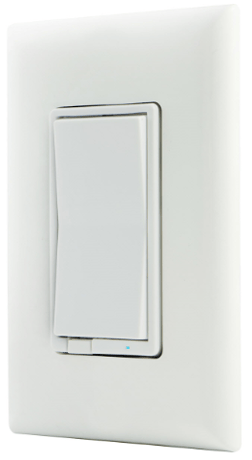
Product Image


3 - LED Indication
LED IndicationSize: 1 byte
Default: 0
Minimum: 0
Maximum: 3
Possible values
| From | To | Desription |
|---|---|---|
| 0 | 0 | Device is ON, LED is OFF; device is Off, LED is ON |
| 1 | 1 | Device is ON, LED is ON; device is Off, LED is OFF |
| 2 | 2 | LED always OFF |
| 3 | 3 | LED always ON |
6 - Dim Up/Down Rate
Dim Up/Down RateSize: 1 byte
Default: 0
Minimum: 0
Maximum: 1
Possible values
| From | To | Desription |
|---|---|---|
| 0 | 0 | Dim up/down the light to the specified level quickly by command except value 0 and FF |
| 1 | 1 | Dim up/down the light to the specified level slowly by command except value 0 and FF |
16 - Switch Mode
Switch ModeSize: 1 byte
Default: 0
Minimum: 0
Maximum: 1
Possible values
| From | To | Desription |
|---|---|---|
| 0 | 0 | Disable- Normal Operation |
| 1 | 1 | Press two times ON button and two times OFF button, LED will flash 5 times if device is successfully excluded. |
19 - Alternate Exclusion
Alternate ExclusionSize: 1 byte
Default: 0
Minimum: 0
Maximum: 1
Possible values
| From | To | Desription |
|---|---|---|
| 0 | 0 | Normal Operation, press any button to exclude device |
| 1 | 1 | Press two times ON button and two times OFF button, LED will flash 5 times if device is successfully excluded. |
30 - Minimum Dim Threshold
Minimum Dim ThresholdSize: 1 byte
Default: 0
Minimum: 1
Maximum: 99
Possible values
| From | To | Desription |
|---|---|---|
| 1 | 99 | Set the minimum dimmer threshold when manually or remotely controlled |
31 - Maximum Brightness Threshold
Maximum Brightness ThresholdSize: 1 byte
Default: 0
Minimum: 1
Maximum: 99
Possible values
| From | To | Desription |
|---|---|---|
| 1 | 99 | Set the maximum brightness threshold when manually or remotely controlled |
32 - Default Brightness Level
Default Brightness LevelSize: 1 byte
Default: 0
Minimum: 0
Maximum: 99
Possible values
| From | To | Desription |
|---|---|---|
| 0 | 0 | Default |
| 1 | 99 | Ex. 1= 1% and 99 = 99% |
Adding your device to a Z-Wave network 1. Follow the instructions for your Z-Wave certified controller to add a device to the Z-Wave network. 2. Once the controller is ready to add your device, press and release the top or bottom of the wireless smart dimmer (rocker).
To remove and reset the device 1. Follow the instructions for your Z-Wave certified controller to remove a device from the Z-Wave network. 2. Once the controller is ready to remove your device, press and release the top or bottom of the wireless smart dimmer (rocker).
1. Quickly press ON (top) button three times then immediately press the OFF (bottom) button three times. The LED will flash ON/OFF five times when completed successfully. Note: This should only be used if your network’s primary controller is missing or otherwise inoperable.
Page 1 Section 4. NOTE: SmartStart enabled products can be added into a Z-Wave network by scanning the QR code on the product with a controller providing SmartStart inclusion. No further action is required and the SmartStart product will be added automatically within
| Type | Value(s) |
|---|