Z-Uno by Z-Wave.Me
Z-Uno G2
Z-Uno G2
Binary Switch DT
HW: 04 FW: 03.09:01.01
ZGM130S037HGN2 / ZGM130S037HGN1
7.16.2
0x0115 (277)
N/A
0x0210 (528)
ZC14-22030089
2022-03-28 13:24:49
N/A
Enhanced 232 Slave
Always On Slave
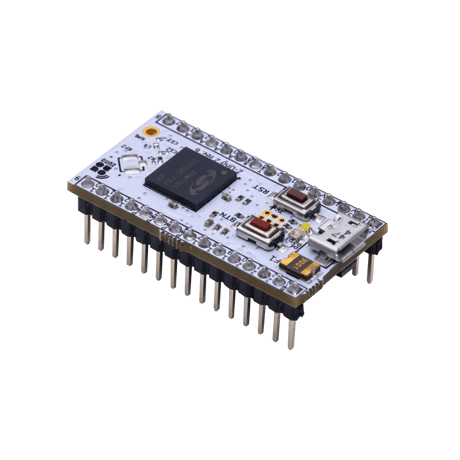
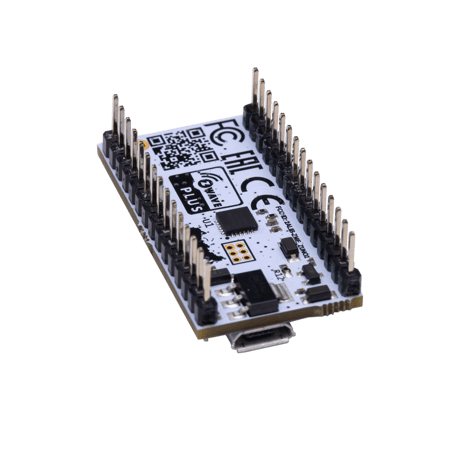
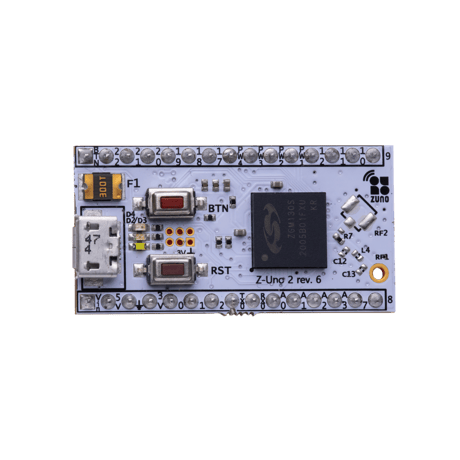
Z-Uno is a Z-Wave™ prototyping and development board. It allows you to create your own Z-Wave devices and sensors. Compatible with Arduino IDE and VSCode.


1 - Debug mode
Enables Z-Uno debug modeSize: 1 byte
Default: 0
Minimum: 0
Maximum: 1
Possible values
| From | To | Desription |
|---|---|---|
| 0 | 0 | 0 |
2 - ActivityLED
Turns on/off activity ledSize: 1 byte
Default: 1
Minimum: 0
Maximum: 1
Possible values
| From | To | Desription |
|---|---|---|
| 0 | 0 | 0 |
8 - RFLogging
Turns on/off exception logging.Size: 1 byte
Default: 1
Minimum: 0
Maximum: 1
Possible values
| From | To | Desription |
|---|---|---|
| 0 | 0 | 0 |
9 - RFFrequency
Changes Z-Wave region of Z-UnoSize: 2 bytes
Default: 255
Minimum: 255
Maximum: 4590
Possible values
| From | To | Desription |
|---|---|---|
| 0 | 0 | 0 |
11 - MultilevelReportInterval
Minimal report interval.Size: 1 byte
Default: 30
Minimum: 0
Maximum: 255
Possible values
| From | To | Desription |
|---|---|---|
| 0 | 0 | 0 |
20 - OTAConfirmation
Accepts firmware update process.Size: 4 bytes
Default: 0
Minimum: 0
Maximum: 2147483647
Possible values
| From | To | Desription |
|---|---|---|
| 0 | 0 | 0 |
64 - Temperature hysteresis
Defines hysteresis of temperatureSize: 4 bytes
Default: 5
Minimum: 1
Maximum: 20
Possible values
| From | To | Desription |
|---|---|---|
| 0 | 0 | 0 |
65 - Humidity hysteresis
Defines hysteresis of humiditySize: 4 bytes
Default: 5
Minimum: 1
Maximum: 20
Possible values
| From | To | Desription |
|---|---|---|
| 0 | 0 | 0 |
66 - Motion trigger time
Minimal trigger interval in msSize: 4 bytes
Default: 5000
Minimum: 0
Maximum: 100000
Possible values
| From | To | Desription |
|---|---|---|
| 0 | 0 | 0 |
Z-Uno supports SmartStart technology. You are able to add device to network by means of special QR-code/SmartStart string. Just plug in ZUno to power supply and scan SmartStart label, no other interruction with device is needed. User is able to get SmartStart string using zme_make utility manually or by means of ArduinoIDE. You have to select "verbose output" in preferences of IDE. Smart Strart QR-code is listed in "Z-Uno board information" section. Manually you are able to do it using the command: zme_make boardInfo -q </path/to/qrcode_output_filename.png> -d <COM/tty of ZUno>. It will save qr-code image into "/path/to/qrcode_output_filename.png".
| Type | Value(s) |
|---|
| Group | Type |
|---|---|
| Access Control |
|
| Home Security | Motion sensor status: Motion detection |
| Sensor type |
|---|
| Air Temperature |
| Humidity |