Zooz
Dry Contact Relay
ZEN51
Binary Switch DT
HW: 01 FW: 01.21
ZGM130S037HGN2 / ZGM130S037HGN1
7.15.4
0x027A (634)
N/A
0x0104 (260)
ZC14-22040094
2022-04-04 09:24:57
N/A
Enhanced 232 Slave
Always On Slave
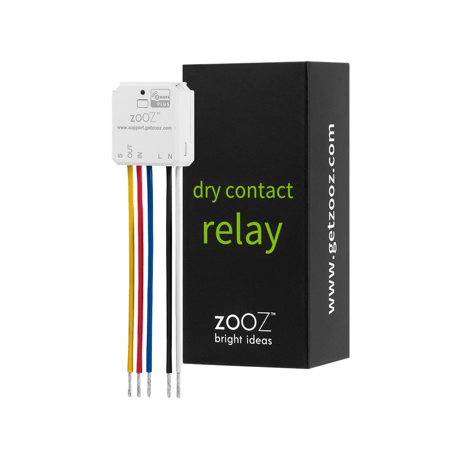
Use this Dry Contact Relay for lighting applications and to monitor 120 V inputs.


1 - Led indicator load status
Led indicator load statusSize: 1 byte
Default: 1
Minimum: 0
Maximum: 1
Possible values
| From | To | Desription |
|---|---|---|
| 0 | 0 | 0 |
2 - Auto turn-off timer
Auto turn-off timerSize: 2 bytes
Default: 0
Minimum: 0
Maximum: 65535
Possible values
| From | To | Desription |
|---|---|---|
| 0 | 0 | 0 |
3 - Auto turn-on timer
Auto turn-on timerSize: 2 bytes
Default: 0
Minimum: 0
Maximum: 65535
Possible values
| From | To | Desription |
|---|---|---|
| 0 | 0 | 0 |
4 - Restores state after power failure
Restores state after power failureSize: 1 byte
Default: 2
Minimum: 0
Maximum: 2
Possible values
| From | To | Desription |
|---|---|---|
| 0 | 0 | 0 |
5 - Enable or Disable Scene
Enable or Disable SceneSize: 1 byte
Default: 0
Minimum: 0
Maximum: 1
Possible values
| From | To | Desription |
|---|---|---|
| 0 | 0 | 0 |
6 - Enable or Disable Output control
Enable or Disable Output controlSize: 1 byte
Default: 1
Minimum: 0
Maximum: 2
Possible values
| From | To | Desription |
|---|---|---|
| 0 | 0 | 0 |
7 - External switch type
External switch typeSize: 1 byte
Default: 2
Minimum: 0
Maximum: 4
Possible values
| From | To | Desription |
|---|---|---|
| 0 | 0 | 0 |
8 - Association reports
Association reportsSize: 1 byte
Default: 1
Minimum: 0
Maximum: 1
Possible values
| From | To | Desription |
|---|---|---|
| 0 | 0 | 0 |
9 - Relay type behavior
Relay type behaviorSize: 1 byte
Default: 0
Minimum: 0
Maximum: 1
Possible values
| From | To | Desription |
|---|---|---|
| 0 | 0 | 0 |
10 - Timer for relay seconds or minutes
Timer for relay seconds or minutesSize: 1 byte
Default: 1
Minimum: 1
Maximum: 2
Possible values
| From | To | Desription |
|---|---|---|
| 0 | 0 | 0 |
11 - Impulse time for par 7=3
Impulse time for par 7=3Size: 1 byte
Default: 10
Minimum: 2
Maximum: 200
Possible values
| From | To | Desription |
|---|---|---|
| 0 | 0 | 0 |
1. ADD DEVICE to your hub Initiate inclusion (pairing) in the app (or web interface).Not sure how? Scan one of the QR codes below for step-by-step instructions or get in touch: www.support.getzooz.com 2. Finalize inclusion at the relay. Tap the Z-Wave button 3 times quickly.
1. Bring your Z-Wave gateway (hub) close to the relay if possible 2. Put the Z-Wave hub into exclusion mode (not sure how to do that? [email protected]) 3. Click the Z-Wave button on the relay 3 times quickly (the LED indicator will start blinking green)
If your primary controller is missing or inoperable, you may need to reset the device to factory settings. To reset the relay, click the Z-Wave button twice and hold it for 15 seconds the SECOND time. The LED indicator will flash during the process and turn red for 3 s
The SmartStart QRCode is located on the back of the relay, next to the Z-Wave Plus logo.
| Type | Value(s) |
|---|