Zooz
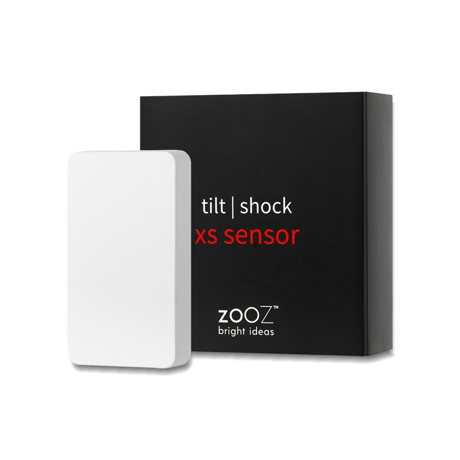
TILT | SHOCK XS SENSOR
ZSE43
Notification Sensor DT
HW: 01 FW: 01.00
ZGM130S037HGN2 / ZGM130S037HGN1
7.16.3
0x027A (634)
N/A
0x7000 (28672)
ZC14-22040100
2022-04-25 08:17:20
N/A
Enhanced 232 Slave
Reporting Sleeping Slave
Yes
Use the Tilt | Shock XS Sensor to monitor your garage doors and other important points of entry in your home.


1 - Indicator On Off
Turn the LED indicator for tilt or shock sensor status change on or off.Size: 1 byte
Default: 3
Minimum: 0
Maximum: 3
Possible values
| From | To | Desription |
|---|---|---|
| 0 | 0 | LED won't blink when either sensor is triggered |
| 1 | 1 | LED blinks only when the shock sensor is triggered |
| 2 | 2 | LED blinks only when the tilt sensor is triggered |
| 3 | 3 | LED blinks when either sensor is triggered (default) |
2 - Battery Report Threshold
Battery report threshold %Size: 1 byte
Default: 5
Minimum: 1
Maximum: 50
Possible values
| From | To | Desription |
|---|---|---|
| 1 | 50 | percent |
3 - Battery Alarm Report
Battery Alarm ReportSize: 1 byte
Default: 20
Minimum: 10
Maximum: 50
Possible values
| From | To | Desription |
|---|---|---|
| 10 | 50 | percent |
4 - Vibration Sensor Sensitivity
Set the vibration sensor's level of sensitivity.Size: 1 byte
Default: 0
Minimum: 0
Maximum: 2
Possible values
| From | To | Desription |
|---|---|---|
| 0 | 0 | highest level of sensitivity (default) |
| 1 | 1 | medium level of sensitivity |
| 2 | 2 | lowest level of sensitivity |
5 - Delay for open
Delay in seconds with ON command report (door open)Size: 2 bytes
Default: 0
Minimum: 0
Maximum: 3600
Possible values
| From | To | Desription |
|---|---|---|
| 0 | 3600 | seconds |
6 - Delay for close
Delay in seconds with OFF command report (door closed)Size: 2 bytes
Default: 0
Minimum: 0
Maximum: 3600
Possible values
| From | To | Desription |
|---|---|---|
| 0 | 3600 | seconds |
7 - Sensor Report Disable
Disable one of the sensor's reports if needed.Size: 1 byte
Default: 2
Minimum: 0
Maximum: 2
Possible values
| From | To | Desription |
|---|---|---|
| 0 | 0 | only tilt sensor enabled |
| 1 | 1 | only shock sensor enabled |
| 2 | 2 | both sensors enabled (default) |
8 - Setting for AGI 2
Select basic on or off command for association group 2.Size: 1 byte
Default: 3
Minimum: 0
Maximum: 3
Possible values
| From | To | Desription |
|---|---|---|
| 0 | 0 | 0 |
9 - Setting for AGI 3
Select basic on or off command for association group 3.Size: 1 byte
Default: 3
Minimum: 0
Maximum: 3
Possible values
| From | To | Desription |
|---|---|---|
| 0 | 0 | 0 |
10 - Report for contact
Select report type(Notification or binary sensor) when contact sensor triggered.Size: 1 byte
Default: 0
Minimum: 0
Maximum: 2
Possible values
| From | To | Desription |
|---|---|---|
| 0 | 0 | 0 |
11 - Report delay after tamper disarming
Report will be issued after some seconds determined by this parameter.Size: 2 bytes
Default: 3
Minimum: 0
Maximum: 3600
Possible values
| From | To | Desription |
|---|---|---|
| 0 | 0 | 0 |
1. Initiate inclusion on your hub. 2. While the hub is looking for new devices, click the Z-Wave button 3 times as quickly as possible. The LED indicator will start flashing to confirm inclusion mode and turn off once inclusion is completed.
Click the Z-Wave button 4 times quickly to wake the sensor up manually. The LED indicator will flash once to confirm the device is awake. During wake-up, the sensor turns the Z-Wave radio on for one minute to receive communication from the hub.
When your network’s primary controller is missing or otherwise inoperable, you may need to reset the device to factory settings manually. In order to complete the process, make sure the sensor is powered, then click the Z-Wave button twice and hold it the third time for 10 seconds. The LED indicator will blink continuously. Immediately after, click the Z-Wave button twice more to finalize the reset. The LED indicator will flash 3 times to confirm a successful reset.
If you’re using an S2 hub, it will ask you to enter the DSK PIN or scan the QR code printed on the inside of the sensor’s battery cover to complete SmartStart inclusion.
| Type | Value(s) |
|---|
| Group | Type |
|---|---|
| Access Control |
|
| Home Security | Cover status: Tampering, product cover removed |