FAULTLESS
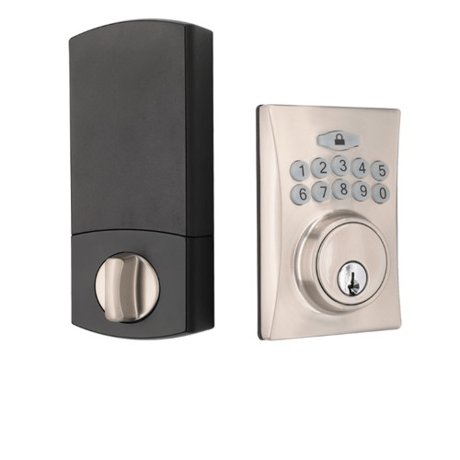
Keypad Electronic Z-WAVE Deadbolt
A50-WG040
Lock DT
HW: 01 FW: 02.06
ZGM130S037HGN2 / ZGM130S037HGN1
7.16.3
0x0262 (610)
N/A
0x0006 (6)
ZC14-22050105
2022-05-06 12:45:00
N/A
Enhanced 232 Slave
Listening Sleeping Slave
Keypad Electronic Z-Wave™ Deadbolt with SmartStart


1 - Guiding Code
Reserve for Touchpad deviceSize: 1 byte
Default: 0
Minimum: 0
Maximum: 1
Possible values
| From | To | Desription |
|---|---|---|
| 0 | 0 | 0 |
2 - VacationMode
Disable all user PIN codeSize: 1 byte
Default: 0
Minimum: 0
Maximum: 1
Possible values
| From | To | Desription |
|---|---|---|
| 0 | 0 | 0 |
3 - Volume
Control Lock Sound volumeSize: 1 byte
Default: 1
Minimum: 0
Maximum: 1
Possible values
| From | To | Desription |
|---|---|---|
| 0 | 0 | 0 |
4 - AutoLock
Auto Lock after X second than unlock the lockSize: 1 byte
Default: 0
Minimum: 0
Maximum: 1
Possible values
| From | To | Desription |
|---|---|---|
| 0 | 0 | 0 |
5 - AutoLockTimer
Delay time for auto lockSize: 1 byte
Default: 10
Minimum: 10
Maximum: 99
Possible values
| From | To | Desription |
|---|---|---|
| 0 | 0 | 0 |
Press [SET] for 1 second. → Programming Code (4-6 digits) → press the Lock mark bottom → press number 9 → press number 0 → Include successfully (beep x 1)
Press [SET] for 1 second. → Programming Code (4-6 digits) → press the Lock mark bottom → press number 9 → press number 0 → Exclude successfully (beep x 1)
NA
Press and hold SET button while inserting the battery back. Hold the set button until long beep has finished.
"find the DSK on the sticker on the left or on the battery case."
| Group | Type |
|---|---|
| Access Control |
|
| Power Management | Battery maintenance status: Replace battery now |