Nexa
Thermostatic Radiator Valve
ZRT-106
Thermostat - HVAC
HW: 1 FW: 1.01:00.00
SD3502
6.81.03
0x0060 (96)
0x0015 (21)
0x0001 (1)
ZC10-22067099
2022-06-07 17:35:56.503951
N/A
Enhanced 232 Slave
Listening Sleeping Slave
Yes
Thermostatic Radiator Valves (TRVs) sense the air temperature around them and regulate the flow of water through the radiator which they are fitted to.
Thermostatic Radiator Valves (TRVs) sense the air temperature around them and regulate the flow of water through the radiator which they are fitted to. They can be set at a level that gives you the room temperature you want. These settings may have to be different in each room, and you can set the TRVs to suit each room and then leave them to do their job. The device can be set temperature by manual or by gateway.
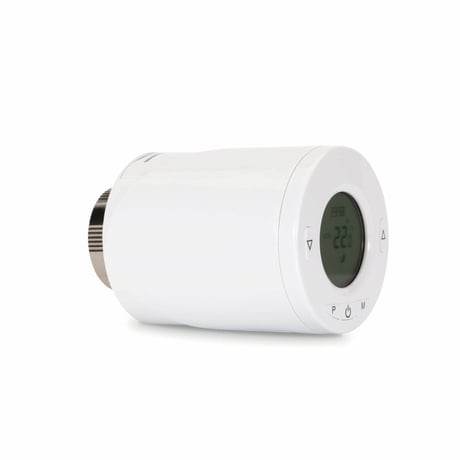
Product Image


1 - Parameter 1
Temperature Auto Report period settingSize: 2 bytes
Default: 120
Minimum: 1
Maximum: 255
Possible values
| From | To | Desription |
|---|---|---|
| 1 | 255 | minutes |
2 - Parameter 2
Temperature offset for internal sensorSize: 1 byte
Default: 0
Minimum: -80
Maximum: 80
Possible values
| From | To | Desription |
|---|---|---|
| -80 | 80 | -80~+80 Offsets the measured temperature by -8.0℃~+8.0℃ |
3 - Parameter 3
Maximum Set point valueSize: 1 byte
Default: 35
Minimum: 5
Maximum: 35
Possible values
| From | To | Desription |
|---|---|---|
| 5 | 35 | 5~35 for 5℃~35℃ |
4 - Parameter 4
Minimum Set point valueSize: 1 byte
Default: 5
Minimum: 5
Maximum: 35
Possible values
| From | To | Desription |
|---|---|---|
| 5 | 35 | 5~35 for 5℃~35℃ |
5 - Parameter 5
Frost protection temperatureSize: 1 byte
Default: 5
Minimum: 5
Maximum: 15
Possible values
| From | To | Desription |
|---|---|---|
| 5 | 15 | 5~15 for 5℃~15℃ |
6 - Parameter 6
Open window detect functionSize: 1 byte
Default: 0
Minimum: 0
Maximum: 1
Possible values
| From | To | Desription |
|---|---|---|
| 0 | 1 | 0: Disable 1: Enable |
7 - Parameter 7
Open window detect time periodSize: 1 byte
Default: 15
Minimum: 2
Maximum: 30
Possible values
| From | To | Desription |
|---|---|---|
| 2 | 30 | minutes |
8 - Parameter 8
Open window detect temperature drop settingSize: 1 byte
Default: 4
Minimum: 4
Maximum: 8
Possible values
| From | To | Desription |
|---|---|---|
| 4 | 8 | 4=2℃ , 5=2.5℃ 6= 3℃, 7=3.5℃, 8=4℃ |
9 - Parameter 9
Open window detect delay time selectSize: 1 byte
Default: 30
Minimum: 10
Maximum: 60
Possible values
| From | To | Desription |
|---|---|---|
| 10 | 60 | minutes |
10 - Parameter 10
Manual Override takeover periodSize: 1 byte
Default: 8
Minimum: 1
Maximum: 48
Possible values
| From | To | Desription |
|---|---|---|
| 1 | 48 | 1~48, means 30mins to 24hrs (8=4hrs) |
1. Put the Z-Wave Controller into inclusion mode. 2. Press the P button 3 times within 1.5 seconds to put the unit into inclusion mode.
1. Put the Z-Wave Controller into exclusion mode. 2. Press the P button 3 times within 1.5 seconds to put the unit into exclusion mode.
NA
1. Press the P button 3 times within 1.5 seconds to put the unit into exclusion mode. 2. Within 1 second of step 1, press the button P again and hold for 5 seconds. 3. Node ID is excluded. The device reverts to factory default state.
Page 4 Note: If you are connecting this unit to a Z-Wave Controller that utilizes the S2 security protocol, you may be asked by your controller to enter a 5 digit Device Specific Key (DSK) that is unique to each unit. This can be found in one of two places: - on the QR code label on the back of the unit
| Type | Value(s) |
|---|
| Group | Type |
|---|---|
| Power Management | Power status: Power has been applied |
| Sensor type |
|---|
| Air Temperature |