NEXA
Outdoor Motion Detector
SP-816
Notification Sensor
HW: 1 FW: 1.01:02.01
SD3502
6.71.01
0x0060 (96)
0x0001 (1)
0x0005 (5)
ZC10-22067108
2022-06-10 09:38:40.443951
N/A
Enhanced 232 Slave
Reporting Sleeping Slave
Yes
This outdoor motion detector is primarily designed for outdoor lighting control application. It features a PIR motion detector to detect movement in a protected area and a lux sensor for determining brightness of its surroundings.
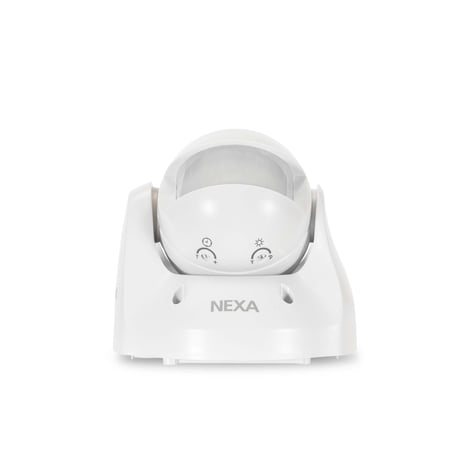
The SP-816 Outdoor Motion Detector is a Z-Wave PlusTM enabled device and is fully compatible with any Z-WaveTM enabled network. The device can be set up in a Z-Wave network to communicate directly with other end devices such as lighting controllers, or to report directly to a Z-Wave controller (usually a gateway). This outdoor motion detector is primarily designed for outdoor lighting control application. It features a PIR motion detector to detect movement in a protected area and a lux sensor for determining brightness of its surroundings. It comes with a built in timer to set the duration for light turn on. The lux level and the timer can be set through knobs on the device itself. If the PIR detects motion when lux level falls below a preset setting, the device will transmit a signal to turn on the outdoor lighting (or indirectly through gateway) and then later turns it off when its timer has elapsed. This device can also be used as a basic motion sensor for indoor security application.
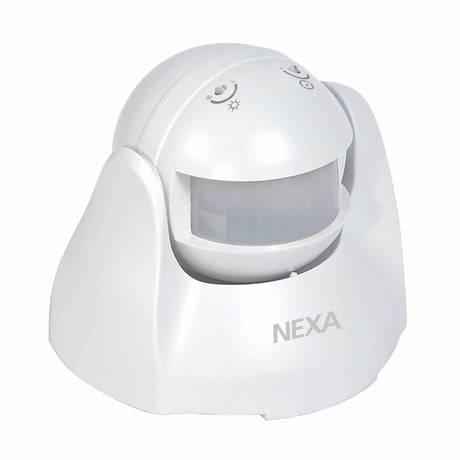
Product Image
1. Put the Z-Wave Controller into inclusion mode. 2. Press the tamper switch 3 times within 1.5 seconds to put the unit into inclusion mode
1. Put the Z-Wave Controller into exclusion mode. 2. Press the tamper switch 3 times within 1.5 seconds to put the unit into exclusion mode.
After it has been included into a Z-Wave network, the detector will go to sleep but will send a Wakeup Notification Command periodically at preset period to the controller. The Motion detector will stay awake for 10 seconds at least and then go back to sleep to conserve battery life.
1. Press the tamper switch 3 times within 1.5 seconds to put the unit into exclusion mode. 2. Within 1 second of step 1, press the tamper switch again and hold until LED is off (about 5 seconds). 3. Node ID is excluded. The device reverts to factory default state and will be in auto-inclusion mode for 4 minutes.
Note: If you are connecting this unit to a Z-Wave Controller that utilizes the S2 security protocol, you may be asked to enter a 5 digit Device Specific Key (DSK) that is unique to each unit by your controller. This can be found in one of two places: - on the QR code label on the back of the unit - on the insert card inside the packaging
| Type | Value(s) |
|---|
| Group | Type |
|---|---|
| Home Security |
|
| Power Management | Power status: Power has been applied |