Heatit controls
Heatit Z-Dim2
Z-Dim2
Multilevel Switch DT
HW: 01 FW: 01.20:00.01
ZGM130S037HGN2 / ZGM130S037HGN1
7.16.3
0x019B (411)
0x0004 (4)
0x0004 (4)
ZC14-22060111
2022-06-29 08:16:36
N/A
Enhanced 232 Slave
Always On Slave
Heatit Z-Dim2 is a Z-Wave™ rotary dimmer for many different types of light fixtures. The Heatit Z-Dim2 works on most low loads without causing flickering. The dimmer is equipped with an external switch option. This allows you to dim and turn on/off the load from an external switch.
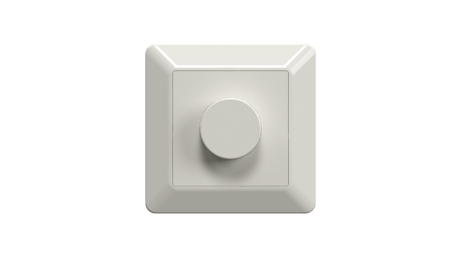
Heatit Z-Dim2_ Plastic kit_White RAL 9010
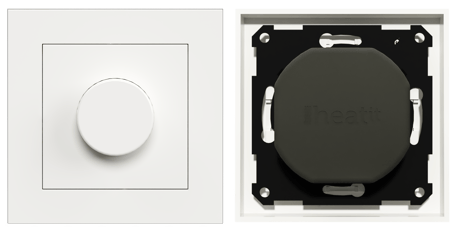
Heatit Z-Dim2_ Plastic kit_White RAL 9003
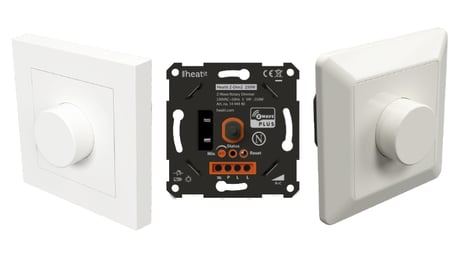
Heatit Z-Dim2_Included in packaging
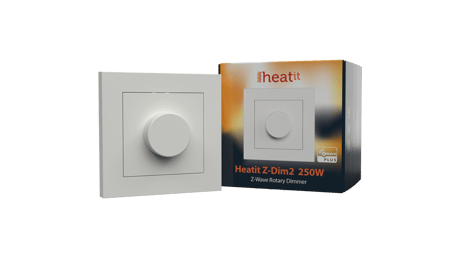
Heatit Z-Dim2_Packshot


1 - Power restore
The state the dimmer should return to once power is restored after a power failure.Size: 1 byte
Default: 100
Minimum: 0
Maximum: 100
Possible values
| From | To | Desription |
|---|---|---|
| 0 | 0 | Off |
| 1 | 99 | 1%-99% |
| 100 | 100 | Returns to level before power outage (Default) |
2 - Switch ON level
Defines the dimming level when restored from the OFF state.Size: 1 byte
Default: 0
Minimum: 0
Maximum: 99
Possible values
| From | To | Desription |
|---|---|---|
| 0 | 0 | Restores last dim level (Default) |
| 1 | 99 | 1%-99% |
3 - Automatic turn OFF
Time for the dimmer to turn off automatically after turning it on.Size: 4 bytes
Default: 0
Minimum: 0
Maximum: 86400
Possible values
| From | To | Desription |
|---|---|---|
| 0 | 0 | Auto OFF disabled (Default) |
| 1 | 86400 | 1-86400 seconds |
4 - Automatic turn ON
Time for the dimmer to turn on automatically after turning it off.Size: 4 bytes
Default: 0
Minimum: 0
Maximum: 86400
Possible values
| From | To | Desription |
|---|---|---|
| 0 | 0 | Auto ON disabled (Default) |
| 1 | 86400 | 1-86400 seconds |
5 - Turn off delay time
The time it takes before the dimmer turns off after turning it off.Size: 1 byte
Default: 0
Minimum: 0
Maximum: 60
Possible values
| From | To | Desription |
|---|---|---|
| 0 | 0 | Disabled (Default) |
| 1 | 60 | 1-60 seconds |
6 - Rotary wheel press functionality
Decide the rotary wheel press function.Size: 1 byte
Default: 0
Minimum: 0
Maximum: 2
Possible values
| From | To | Desription |
|---|---|---|
| 0 | 0 | Double click to 100% (Default) |
| 1 | 1 | Scene controller function |
| 2 | 2 | Disabled |
7 - External switch functionality
Decide how external switch function.Size: 1 byte
Default: 1
Minimum: 0
Maximum: 2
Possible values
| From | To | Desription |
|---|---|---|
| 0 | 0 | Double click to 100%, external switch pair and dimming |
| 1 | 1 | Scene controller function (Default) |
| 2 | 2 | Disabled |
8 - Dimming duration
Define how long it takes to dim when using the external switch.Size: 1 byte
Default: 50
Minimum: 0
Maximum: 100
Possible values
| From | To | Desription |
|---|---|---|
| 0 | 0 | Instantly |
| 1 | 100 | 1-100=0.1-10 sec (Default 5 seconds) |
9 - Choose the dimmer curve
Choose if the dimmer uses Linear or Logarythmic dimming.Size: 1 byte
Default: 0
Minimum: 0
Maximum: 1
Possible values
| From | To | Desription |
|---|---|---|
| 0 | 0 | Linear dimming (Default) |
| 1 | 1 | Logarithmic dimming |
10 - Load dimming mode
Choose the dimming type.Size: 1 byte
Default: 0
Minimum: 0
Maximum: 1
Possible values
| From | To | Desription |
|---|---|---|
| 0 | 0 | Trailing edge (Default) |
| 1 | 1 | Leading edge |
11 - Maximum dim level
Highest dim level of the dimmer.Size: 1 byte
Default: 90
Minimum: 2
Maximum: 99
Possible values
| From | To | Desription |
|---|---|---|
| 2 | 99 | percent |
12 - Meter report threshold
Threshold for device to send meter report in W.Size: 1 byte
Default: 10
Minimum: 0
Maximum: 250
Possible values
| From | To | Desription |
|---|---|---|
| 0 | 0 | Disabled |
| 1 | 250 | Watts |
13 - Meter report interval
Time interval between consecutive meter reports in seconds.Size: 2 bytes
Default: 780
Minimum: 30
Maximum: 65535
Possible values
| From | To | Desription |
|---|---|---|
| 30 | 65535 | seconds |
The primary controller/gateway has a mode for adding devices. Please refer to your primary controller manual on how to set the primary controller in add mode. The device may only be added to the network if the primary controller is in add mode. Method 1: Standard (Manual) Add mode is indicated on the device by a blinking green LED. It indicates this for 90 seconds until a timeout occurs, or until the module has been added to the network. To start the configuration process press the Reset button, or the external switch connected to P, 3 times in rapid succession. The LED will blink green for 3 seconds if adding is successful. The device is now ready for use with default settings.
The primary controller/gateway has a mode for removing devices. Please refer to your primary controller manual on how to set the primary controller in remove mode. The device may only be removed from the network if the primary controller is in remove mode. When the device is removed from the network, it will NOT revert to factory settings. Remove mode is indicated on the device by a blinking green LED. It indicates this for 90 seconds until a timeout occurs, or until the module has been removed from the network. To start the configuration process press the Reset button, or the external switch connected to P, 3 times in rapid succession. The LED will blink green for 3 seconds if removing is successful. The device is now ready for use with default settings.
Press and hold the reset button. After 3 seconds the LED will start to blink in green. After 20 seconds the LED will shine solid green for 3 seconds. You may now release the button. Please use this procedure only when the network primary controller is missing or otherwise inoperable.
• 2-wire • Firmware update (OTA) • Overload protection • Short circuit protection • Surge protection • Overheat protection • External switch • Min. dim level • Max. dim level auto-calibration
The QR-Code is needed when including a device using S2 security or SmartStart. The DSK can be found in the QR-Code and is located; • On the product. • On the Quick Guide. • On the gift box.
| Type | Value(s) |
|---|