Zooz
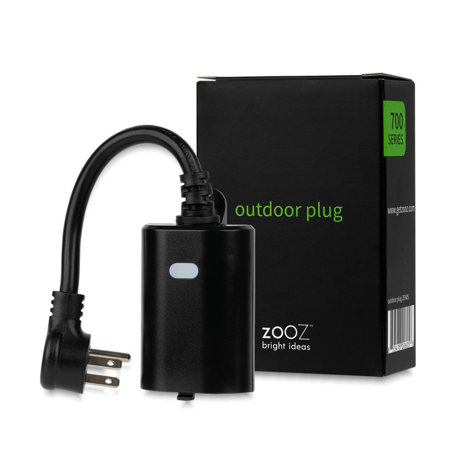
Outdoor Plug
ZEN05
Binary Switch DT
HW: 01 FW: 01.00
ZGM130S037HGN2 / ZGM130S037HGN1
7.16.3
0x027A (634)
N/A
0x7000 (28672)
ZC14-22070125
2022-07-29 08:37:27
N/A
Enhanced 232 Slave
Always On Slave
Single outlet Z-Wave™ Outdoor Smart Plug


1 - Reaction of led
Parameter setting to change the reaction of LED setting.Size: 1 byte
Default: 2
Minimum: 0
Maximum: 4
Possible values
| From | To | Desription |
|---|---|---|
| 0 | 0 | 0 |
2 - Night led on time
Night Light ON time.Size: 4 bytes
Default: 1572864
Minimum: 0
Maximum: 2359296
Possible values
| From | To | Desription |
|---|---|---|
| 0 | 0 | 0 |
3 - Night led off time
Night Light OFF time.Size: 4 bytes
Default: 393216
Minimum: 0
Maximum: 2359296
Possible values
| From | To | Desription |
|---|---|---|
| 0 | 0 | 0 |
4 - Indicator play duration
Setting indicator play duration.Size: 1 byte
Default: 0
Minimum: 0
Maximum: 255
Possible values
| From | To | Desription |
|---|---|---|
| 0 | 0 | 0 |
5 - Indicator speed
Select indicator flash speed.Size: 1 byte
Default: 5
Minimum: 1
Maximum: 24
Possible values
| From | To | Desription |
|---|---|---|
| 0 | 0 | 0 |
7 - Control turn off
Prevents the plug from being turned off via its button.Size: 1 byte
Default: 0
Minimum: 0
Maximum: 2
Possible values
| From | To | Desription |
|---|---|---|
| 0 | 0 | 0 |
8 - Restore status after power failure
Action in case of power out.Size: 1 byte
Default: 0
Minimum: 0
Maximum: 2
Possible values
| From | To | Desription |
|---|---|---|
| 0 | 0 | 0 |
30 - Alarm setting
Determines if alarms are enabled in Switch, and what Switch will react to which alarms.Size: 1 byte
Default: 0
Minimum: 0
Maximum: 255
Possible values
| From | To | Desription |
|---|---|---|
| 0 | 0 | 0 |
31 - Alarm response in device
Enabled by (Alarm settings), and determines what the switch does in the case an alarm is triggered.Size: 1 byte
Default: 0
Minimum: 0
Maximum: 255
Possible values
| From | To | Desription |
|---|---|---|
| 0 | 0 | 0 |
32 - Alarm disable setting
Determines the method of disabling the alarm of the device.Size: 1 byte
Default: 1
Minimum: 0
Maximum: 255
Possible values
| From | To | Desription |
|---|---|---|
| 0 | 0 | 0 |
40 - Auto turn off timer
Auto off after as soon as the switch turns ONSize: 4 bytes
Default: 0
Minimum: 0
Maximum: 86400
Possible values
| From | To | Desription |
|---|---|---|
| 0 | 0 | 0 |
41 - Auto turn on timer
Auto on after as soon as the switch turns OFFSize: 4 bytes
Default: 0
Minimum: 0
Maximum: 86400
Possible values
| From | To | Desription |
|---|---|---|
| 0 | 0 | 0 |
Initiate inclusion (pairing) in the app (or web interface). While the hub is looking for new devices, click the ZWave™ button 3 times as quickly as possible. The LED indicator will start flashing blue to confirm inclusion mode and turn green for 1 second once inclusion is completed.
When your network’s primary controller is missing or otherwise inoperable, you may need to reset the device to factory settings manually. In order to complete the process, make sure the plug is powered, then click the Z-Wave™ button twice and hold it the third time for 10 seconds. The LED indicator will flash green 3 times to confirm a successful reset.
| Type | Value(s) |
|---|
| Group | Type |
|---|---|
| Heat Alarm | Heat sensor status: Overheat detected |