LOCKLY
Lockly Z-Wave Smart Lock - Secure
PGD728 ZPU
Lock DT
HW: 02 FW: 04.16:01.02
ZM5202AU-CME3
6.84.00
0x043D (1085)
N/A
0x0003 (3)
ZC14-22110158
2022-11-02 09:34:53
N/A
Enhanced 232 Slave
Listening Sleeping Slave
Yes
LOCKLY Z-Wave™ Smart lock with peep-proof keyboard
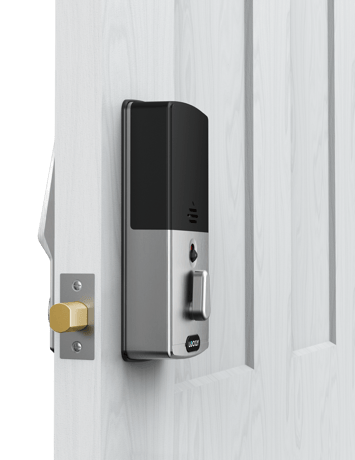
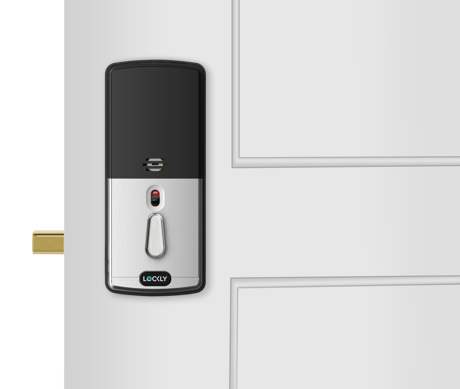


1 - Activated Or DeActivated Fp Module
This command is used to control the activated or deactivated state of the fingerprint. When deactivated, all fingerprint access will be blockedSize: 1 byte
Default: 0
Minimum: 0
Maximum: 1
Possible values
| From | To | Desription |
|---|---|---|
| 0 | 0 | 0 |
1. Bring the DoorLock within direct range of your controller. 2. Carefully remove the battery compartment cover. 3. Put your Z-Wave controller into inclusion mode. 4. Simply press the Program button to enter programming mode. 5. Select “2HB” to enter hub action menu. 6. Select “AD” and wait doorlock to finish the inclusion.
1. Make sure the DoorLock is powered on and located within direct range of your Z-Wave gateway controller . 2. Put your Z-Wave controller into exclusion mode . 3. Simply press the Program button to enter programming mode. 4. Select “2HB” to enter hub action menu. 5. Select “DE” and wait doorlock to finish the exclusion.
When your network’s primary controller is missing or otherwise inoperable, you may need to reset the device to factory settings manually. Tocomplete the process, make sure your doorlock has not been synced tothe smart phone, then press and hold the reset button at least 3 sec to reset the doorlock and Z-Wave module. Also, you can restore the lock to factory default settings while the lock is synching with the smartphone. When executing factory reset, Z-Wave module will issue the following instructions to smart home controller. Group:"LIFELINE" group Instruction: DEVICE_RESET_LOCALLY_NOTIFICATION
The QR Code and digits DSK can be found on welcome card inside the box. After you open the box, you can see it on flap top layer.
| Type | Value(s) |
|---|
| Group | Type |
|---|---|
| Access Control |
|