Kaadas
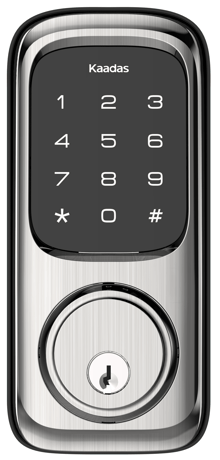
Kaadas Z-Wave Touchpad Deadbolt
KA211
Lock DT
HW: 199 FW: 01.04:01.27
ZGM130S037HGN2 / ZGM130S037HGN1
7.18.1
0x021D (541)
N/A
0x0103 (259)
ZC14-22120182
2022-12-20 12:14:11
N/A
Enhanced 232 Slave
Listening Sleeping Slave
Lock and unlock your door anywhere and anytime by integrate your lock into your Z-Wave™ home automation or security system for ultimate convenience.


1 - Configure volume level
Configure volume levelSize: 1 byte
Default: 2
Minimum: 0
Maximum: 2
Possible values
| From | To | Desription |
|---|---|---|
| 0 | 2 | 0 |
2 - Configure led
Enable/disable ledSize: 1 byte
Default: 1
Minimum: 0
Maximum: 1
Possible values
| From | To | Desription |
|---|---|---|
| 0 | 1 | 0 |
3 - Timed battery report
Configure timed battery reportSize: 2 bytes
Default: 1440
Minimum: 0
Maximum: 14400
Possible values
| From | To | Desription |
|---|---|---|
| 0 | 14400 | 0 |
4 - Association Group 2 Settings
Configure the Basic Set valueSize: 1 byte
Default: 1
Minimum: 0
Maximum: 6
Possible values
| From | To | Desription |
|---|---|---|
| 0 | 6 | 0 |
1. Enter master mode(input ** + Master PIN Code + #) 2. Input "0" to enter "Network settings" 3. Input "1 + #" to enter "Include mode"
1. Enter master mode(input ** + Master PIN Code + #) 2. Input "0" to enter "Network settings" 3. Input "2 + #" to enter "Exclusion mode"
1. Operations on lock 1) Keep your lock in "unlock" status. 2) Use the provided reset pin to press and hold the reset button for more than 5 seconds until hearing beep sound. 3) If reset is successful, the bolt will extend on its own to learn the orientation of the door. 2. Please use this procedure only when the network primary controller is missing or otherwise inoperable.
You may find the DSK on individual package of each product.
| Group | Type |
|---|---|
| Access Control |
|
| Home Security | Cover status: Tampering, product cover removed |