VENTURE INDUSTRIES SP. Z O. O.
eVI WISE
WISE-AC-01
Multilevel Switch DT
HW: 01 FW: 07.01
ZGM130S037HGN2 / ZGM130S037HGN1
7.18.1
0x010F (271)
N/A
0x2601 (9729)
ZC14-23010185
2023-01-05 12:36:30
N/A
Enhanced 232 Slave
Always On Slave
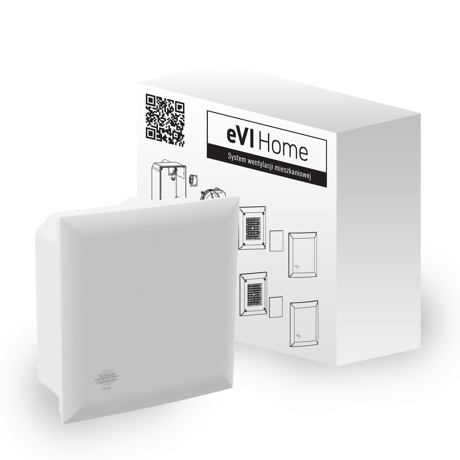
eVI WISE is a Z-Wave™ device that allows control the air flow through the fan. Evi WISE fan is a device designed for rooms like kitchens and bathrooms and is meant to extract used air, excess humidity and bad smells. It is a highly efficient device designed with balance between power, sound level and energy consumption. It is equipped with a Z-Wave module and integrated humidity and temperature sensor. Evi WISE fan is a main part in the Venture WISE system.


1 - Device status memory
The parameter determines the status after a power failure.Size: 1 byte
Default: 1
Minimum: 0
Maximum: 1
Possible values
| From | To | Desription |
|---|---|---|
| 0 | 0 | Device resets to default gear |
| 1 | 1 | Device will be restored to the state from before power failure |
150 - Delayed on
This parameter defines the delayed activation time of the fan. The value of the parameter must not exceed the value of parameter 152.Size: 2 bytes
Default: 0
Minimum: 0
Maximum: 32400
Possible values
| From | To | Desription |
|---|---|---|
| 0 | 0 | Delayed activation option inactive - switch on immediately |
| 30 | 32400 | 30 to 32400 (30 seconds to 9 hours) |
151 - Delayed off
This parameter specifies the time between sending the switch-off command and the actual switch-off of the device.Size: 2 bytes
Default: 0
Minimum: 0
Maximum: 32400
Possible values
| From | To | Desription |
|---|---|---|
| 0 | 0 | Delayed activation option inactive - switch off immediately |
| 30 | 32400 | 30 to 32400 (30 seconds to 9 hours) |
152 - Auto off
The parameter specifies the time after which the output is automatically switched off. A value less than the value in parameter 150 cannot be set.Size: 2 bytes
Default: 0
Minimum: 0
Maximum: 32400
Possible values
| From | To | Desription |
|---|---|---|
| 0 | 0 | Automatic switch-off not activated |
| 30 | 32400 | 30 to 32400 (30 seconds to 9 hours) |
154 - Enabling the fan to be switched off completely
This parameter determines what state the device will be in when the OFF or set 0 command is sent to the multi-level switch.Size: 1 byte
Default: 0
Minimum: 0
Maximum: 1
Possible values
| From | To | Desription |
|---|---|---|
| 0 | 0 | Sending OFF command turns on 1st gear of fan |
| 1 | 1 | Sending the OFF command completely shuts down the device |
To add the device to the Z-Wave network manually: 1. Set the main controller in (Security/non-Security Mode) add mode (see the controller’s manual). 2. Set the device in learning mode by single-clicking the button on the PCB (Fig. 3). 3. If you are adding in Security S2 Authenticated, input the underlined part of the DSK
To remove the device from the Z-Wave network: 1. Set the main controller into remove mode (see the controller’s manual). 2. Click once on the PCB button (Fig. 3). 3. Wait for the removal process to complete.
1. To restore the device to the factory settings, hold down the button located on the PCB for at least 5 seconds (Fig. 3). 2. Wait for the reset procedure to complete.
4.2: Adding using SmartStart page 9
| Sensor type |
|---|
| Air Temperature |
| Humidity |