Devicebook
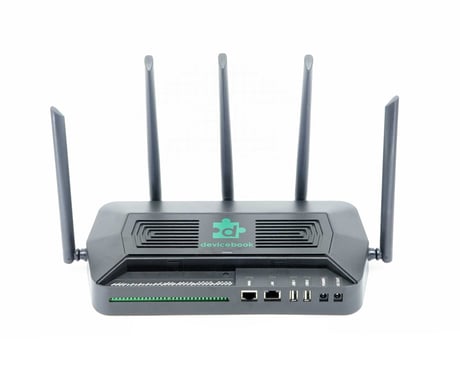
Devicebook Hub
DH100
Gateway DT
HW: 01 FW: 07.18:07.18
EFR32ZG14
7.18.3
0x045E (1118)
N/A
0x0001 (1)
ZC14-23020198
2023-02-15 16:27:34
N/A
Bridge Controller
Central Static Controller
Devicebook Hub is a device that allows controlling of smart home devices using Z-Wave™ protocol along with other common smart home protocols
If this controller is the primary controller for your network, resetting it will result in the nodes in your network being orphaned and it will be necessary after the reset to exclude and re-include all of the nodes in the network. If this controller is being used as a secondary controller in the network, use this procedure to reset this controller only in the event that the network primary controller is missing or otherwise inoperable. The steps to factory reset Devicebook Hub: 1. Go to Home/My Hubs. 2. Under the Z-Wave section of your hub card, click Manage Devices. 3. Enter your Z-Wave Device Management password. 4. Go to Network tab. 5. Under section Factory Reset Controller, click Reset button. 6. Once the spinner on the button stops spinning, the factory reset has completed. Note: Factory resetting the Z-Wave Controller only affects Z-Wave. No other protocols or functionalities of the Devicebook Hub are affected.
| Type | Value(s) |
|---|