Yale
Yale YDM723-Z7
YDM723-Z7
Lock DT
HW: 02 FW: 02.37:11.14
ZGM130S037HGN2 / ZGM130S037HGN1
7.16.3
0x0129 (297)
N/A
0xE005 (57349)
ZC14-23020195
2023-02-08 10:18:04
N/A
Enhanced End Node 232
Listening Sleeping Slave
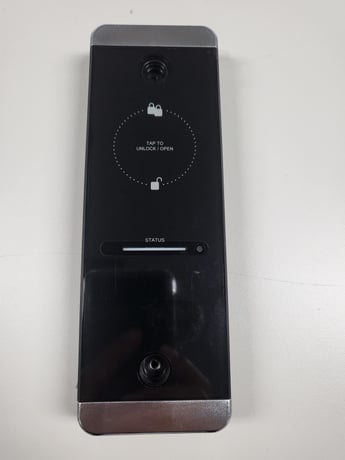
Never worry about carrying around or losing your keys again. Unlock and lock your home with ease from the backlit touchscreen keypad.


1 - Volume
Set Volume Level to high (3), low (2), or silent (1).Size: 1 byte
Default: 3
Minimum: 1
Maximum: 3
Possible values
| From | To | Desription |
|---|---|---|
| 0 | 0 | 0 |
2 - Auto Relock
Set Auto Relock feature to enable or disable.Size: 1 byte
Default: 255
Minimum: 0
Maximum: 255
Possible values
| From | To | Desription |
|---|---|---|
| 0 | 0 | 0 |
Network Module Setting : This setting becomes available through the Main Menu and allows the lock to connect with Controllers. Add(Include) : Master PIN -> ‘R’ -> ‘9’ -> ‘#’ -> ‘1’ -> ‘#’
Network Module Setting : This setting becomes available through the Main Menu and allows the lock to connect with Controllers. Remove(Exclude) : Master PIN -> ‘R’ -> ‘9’ -> ‘#’ -> ‘3’ -> ‘#’ -> Master Pin-> ‘#’
When lock is reset to factory defaults all user codes (including the master code*) are deleted and all programming features are reset to original default setting (see below). 1. Remove the battery cover and batteries. 2. Remove the interior escutcheon to access the reset pads. 3. The reset pads are located on bottom of the PCB board. 4. While pressing the reset pads with tweezer, reinstall batteries and release reset pads with tweezer. 5. Replace battery cover. Upon reset, the Master code creation is the only option available and must be performed prior to any other programming of the lock
- QR code location a. 1ea on manual b. 2ea in polybag c. 1ea on side of external body - if prompted, scan QR code
| Group | Type |
|---|---|
| Access Control |
|
| Power Management |
|