Minoston
Smart Plug 800S
MP31Z
Binary Switch DT
HW: 01 FW: 01.00
EFR32ZG23A
7.19.1
0x0312 (786)
N/A
0xFF00 (65280)
ZC14-23050248
2023-05-20 13:30:33
N/A
Enhanced End Node 232
Always On End Node
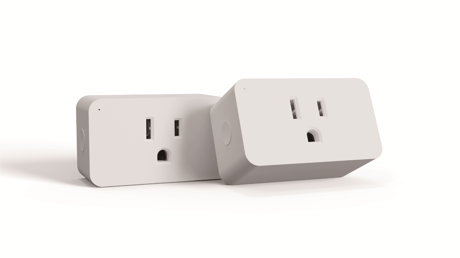
This is the latest 800S Long Range product.


3 - Reaction of led
Change the reaction of the indicator.Size: 1 byte
Default: 1
Minimum: 0
Maximum: 3
Possible values
| From | To | Desription |
|---|---|---|
| 0 | 0 | 0 |
41 - Indicator brightness
Setting indicator's brightness.Size: 1 byte
Default: 0
Minimum: 0
Maximum: 2
Possible values
| From | To | Desription |
|---|---|---|
| 0 | 0 | 0 |
42 - Restore status
Restore status after power failure.Size: 1 byte
Default: 0
Minimum: 0
Maximum: 2
Possible values
| From | To | Desription |
|---|---|---|
| 0 | 0 | 0 |
84 - Reset factory
Set 1 to reset factory defaultSize: 1 byte
Default: 0
Minimum: 0
Maximum: 1
Possible values
| From | To | Desription |
|---|---|---|
| 0 | 0 | 0 |
The device support two methods of inclusion, When using a Z-Wave Plus™ certified controller choose Network Wide Inclusion or SmartStart. TAP the button once times to ADD/INCLUDE the device. Network Wide Inclusion To A Z-Wave™ Network TAP the button once times to REMOVE/EXCLUDE the device Refer to your primary controller instructions to process the inclusion / exclusion setup procedure. When prompted by your primary controller, click the Z-Wave button one times .
The device support two methods of inclusion, When using a Z-Wave Plus™ certified controller choose Network Wide Inclusion or SmartStart. TAP the button once times to ADD/INCLUDE the device. Network Wide Inclusion To A Z-Wave™ Network TAP the button once times to REMOVE/EXCLUDE the device Refer to your primary controller instructions to process the inclusion / exclusion setup procedure. When prompted by your primary controller, click the Z-Wave button one times .
2. Factory Reset:Remove the switch from power. Press and hold the manual button, plug the switch in and continue holding the manual button for 3 seconds. Note: Please use this procedure only when the network primary controller is missing or otherwise inoperable.
The device is compatible with SmartStart. SmartStart enabled products can be added into a Z-Wave™ network by scanning the Z-Wave QR Code found on the top of the outlet or the back of the box with a controller providing SmartStart inclusion. No further action is required and the SmartStart product will be added automatically within 10 minutes of being switched on and in the network vicinity.
| Type | Value(s) |
|---|