Zooz
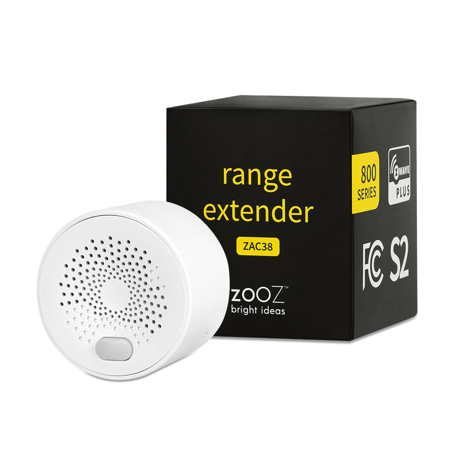
Range Extender
ZAC38
Notification Sensor DT
HW: 01 FW: 01.20
EFR32ZG23A
7.18.3
0x027A (634)
N/A
0x0004 (4)
ZC14-23110357
2023-11-02 13:21:10
N/A
Enhanced End Node 232
Always On End Node
Boost your network with this 800 series Z-Wave™ range extender for a faster and more reliable wireless communication between your connected devices.


1 - Low battery level alarm threshold
Configure low battery level report threshold, sends low battery level report via battery report when battery threshold level drops under setting.Size: 1 byte
Default: 10
Minimum: 0
Maximum: 50
Possible values
| From | To | Desription |
|---|---|---|
| 0 | 50 | percent |
2 - Enable/Disable threshold reporting
Enable/Disable battery level change threshold reporting.Size: 1 byte
Default: 1
Minimum: 0
Maximum: 1
Possible values
| From | To | Desription |
|---|---|---|
| 0 | 0 | Disable |
| 1 | 1 | Enable |
3 - Battery level report check threshold
Configure auto battery level report threshold, sends battery level report via battery report when battery level change greater than setting. Unit %.Size: 1 byte
Default: 10
Minimum: 5
Maximum: 50
Possible values
| From | To | Desription |
|---|---|---|
| 5 | 50 | percent |
4 - Threshold Check Time
Set threshold check time in seconds if threshold is enable via Param2.Size: 2 bytes
Default: 600
Minimum: 1
Maximum: 65535
Possible values
| From | To | Desription |
|---|---|---|
| 1 | 65535 | seconds |
5 - Enable/Disable interval time reporting
Enable/Disable interval time reportingSize: 1 byte
Default: 1
Minimum: 0
Maximum: 1
Possible values
| From | To | Desription |
|---|---|---|
| 0 | 0 | disable |
| 1 | 1 | enable |
6 - Battery level auto report interval time
Interval time set in seconds. Battery Report will be sent when timeout.Size: 2 bytes
Default: 3600
Minimum: 30
Maximum: 65535
Possible values
| From | To | Desription |
|---|---|---|
| 30 | 65535 | seconds |
Initiate inclusion (pairing) in the app (or web interface). Not sure how? [email protected] While the hub is looking for new devices, click the Z-Wave™ button 3 times as quickly as possible. The LED indicator will start flashing green to confirm inclusion mode and turn green for 2 seconds once inclusion is completed.
1. Bring the extender within direct range of your Z-Wave™ hub. 2. Put the Z-Wave™ hub into exclusion mode (not sure how to do that? [email protected]). 3. Click the Z-Wave™ button 3 times as quickly as possible. 4. Your hub will confirm exclusion and the extender will disappear from your controller''s device list.
When your network’s primary controller is missing or otherwise inoperable, you may need to reset the device to factory settings manually. In order to complete the process, make sure the extender is powered, then click the Z-Wave™ button once and hold it the second time for 20 seconds. The LED indicator will start flashing red and will turn solid red, then solid white to confirm a successful reset.
Power outage notifications.
If you’re using an S2 hub, it will ask you to enter the DSK PIN or scan the QR code printed on the side of the extender to complete SmartStart inclusion.
| Type | Value(s) |
|---|
| Group | Type |
|---|---|
| Power Management |
|