JascoPro Series
Water Leak Sensor
ZWN6310
Notification Sensor DT
HW: 01 FW: 01.01
EFR32ZG23A
7.19.3
0x0063 (99)
N/A
0x4953 (18771)
ZC14-24040422
2024-04-29 16:57:20
N/A
Enhanced End Node 232
Reporting Sleeping End Node
Yes
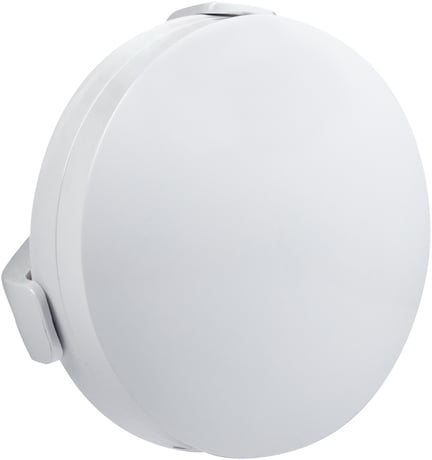
This 800 Series Z-Wave Plus® Water Leak Sensor is designed to detect and report leaks to your Z-Wave® hub quickly and reliably to prevent potential water damage.


3 - LED Light Mode
Set the LED Light Mode.Size: 1 byte
Default: 1
Minimum: 0
Maximum: 2
Possible values
| From | To | Desription |
|---|---|---|
| 0 | 0 | 0 |
41 - LED brightness
Set the LED brightness.Size: 1 byte
Default: 0
Minimum: 0
Maximum: 2
Possible values
| From | To | Desription |
|---|---|---|
| 0 | 0 | 0 |
84 - Reset Factory Default
Reset sensor to factory defaults.Size: 1 byte
Default: 0
Minimum: 0
Maximum: 1
Possible values
| From | To | Desription |
|---|---|---|
| 0 | 0 | 0 |
85 - Alarm sound
Set alarm sound.Size: 1 byte
Default: 1
Minimum: 0
Maximum: 2
Possible values
| From | To | Desription |
|---|---|---|
| 0 | 0 | 0 |
86 - Low Battery Report
Set threshold for Low Battery Report.Size: 1 byte
Default: 10
Minimum: 5
Maximum: 20
Possible values
| From | To | Desription |
|---|---|---|
| 0 | 0 | 0 |
87 - Low Battery Chirp
Low battery chirp enabled/disabled.Size: 1 byte
Default: 1
Minimum: 0
Maximum: 1
Possible values
| From | To | Desription |
|---|---|---|
| 0 | 0 | 0 |
88 - Low Battery Chirp interval
Change Number of minutes between low battery chirp sound.Size: 1 byte
Default: 1
Minimum: 1
Maximum: 10
Possible values
| From | To | Desription |
|---|---|---|
| 0 | 0 | 0 |
89 - Status Reporting
Choose when status reports are sent.Size: 1 byte
Default: 0
Minimum: 0
Maximum: 25
Possible values
| From | To | Desription |
|---|---|---|
| 0 | 0 | 0 |
Add/Included into network or Remove/Exclusion from network: Quickly press 1x button
Add/Included into network or Remove/Exclusion from network: Quickly press 1x button
N/A
1. Remove the battery. Press and hold the manual button. 2. Reinsert the battery and continue holding the manual button for 3 seconds until the red LED activates. NOTE: This should only be used if your network’s primary controller is missing or otherwise inoperable.
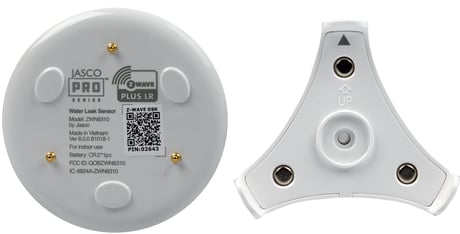
If you’re using an S2 hub, it will ask you to enter the DSK PIN or scan the QR code printed on the inside of the sensor’s battery cover to complete SmartStart inclusion.
| Type | Value(s) |
|---|
| Group | Type |
|---|---|
| Water Alarm | Sensor status: Water leak detected |