Zooz
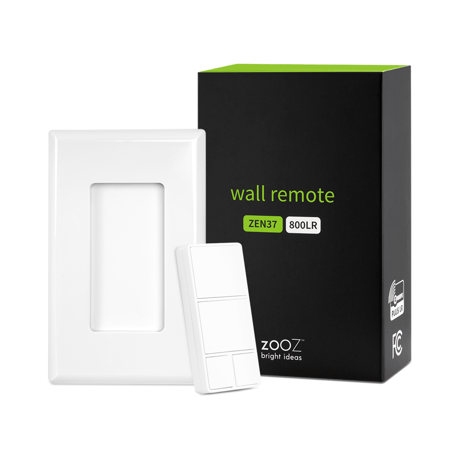
Wall Remote
ZEN37 800LR
Central Scene DT
HW: 01 FW: 01.00
EFR32ZG23A
7.19.3
0x027A (634)
N/A
0x7000 (28672)
ZC14-24060429
2024-06-05 15:11:07
N/A
Enhanced End Node 232
Reporting Sleeping End Node
Yes
Control your connected devices and activate scenes from this handy 4-button Z-Wave Wall Remote.


1 - Low Battery Level
Choose the level you want the device to report low battery to the hub.Size: 1 byte
Default: 5
Minimum: 5
Maximum: 10
Possible values
| From | To | Desription |
|---|---|---|
| 5 | 10 | (%) |
2 - LED Indicator Color
Choose the LED indicator color for button 1 actions. There is only one LED indicator located in the top left corner of button 1 and it will light up in different colors depending on which button is pressed.Size: 1 byte
Default: 0
Minimum: 0
Maximum: 6
Possible values
| From | To | Desription |
|---|---|---|
| 0 | 0 | white (default) |
| 1 | 1 | purple |
| 2 | 2 | orange |
| 3 | 3 | cyan |
| 4 | 4 | red |
| 5 | 5 | green |
| 6 | 6 | blue |
6 - LED Indicator Brightness
Set the LED indicator brightness.Size: 1 byte
Default: 5
Minimum: 0
Maximum: 10
Possible values
| From | To | Desription |
|---|---|---|
| 0 | 0 | LED off |
| 1 | 10 | 1 stands for 10% and 10 stands for 100% brightness. |
7 - Rate for multilevel start
Rate for multilevel set association groupSize: 1 byte
Default: 5
Minimum: 1
Maximum: 99
Possible values
| From | To | Desription |
|---|---|---|
| 0 | 0 | 0 |
1. Initiate inclusion (pairing) in the app (or web interface). 2. Click the top button 6 times quickly. 3. The LED indicator will blink blue during the process and light up green once added successfully. It will light up red if failed.
1. Bring the Wall Remote within direct range of your Z-Wave® hub. 2. Put the Z-Wave® hub into exclusion mode (not sure how to do that? [email protected]). 3. Click the middle button 6 times very quickly 4. Your hub will confirm exclusion and the device will disappear from your controller''s device list.
Click the lower left button 6 times as quickly as possible to wake the device up. The LED indicator will stay on solid blue during wake-up and will turn off when the device turns the Z-Wave® radio off again.
When your network’s primary controller is missing or otherwise inoperable, you may need to reset the device to factory settings manually. In order to complete the process, make sure the device is powered, then click the bottom right small button 6 times quickly. The LED indicator will start blinking red, then immediately click the same button 6 more times. The LED indicator will stay red for 2 seconds.
Scan here for SmartStart inclusion (visual of the QR code on product with arrow)
| Type | Value(s) |
|---|
| Group | Type |
|---|---|
| Power Management |
|