Zooz
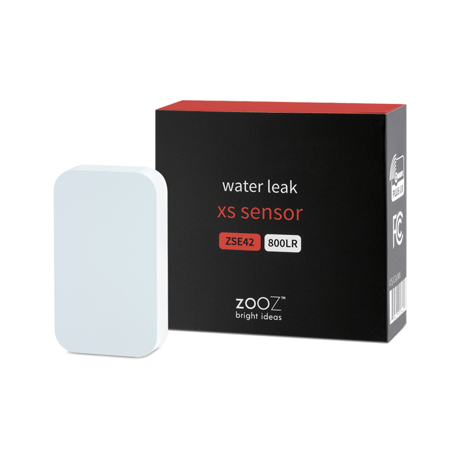
Water Leak XS Sensor
ZSE42 800LR
Notification Sensor DT
HW: 02 FW: 02.00
EFR32ZG23A
7.19.3
0x027A (634)
N/A
0x7000 (28672)
ZC14-24060431
2024-06-10 08:42:46
N/A
Enhanced End Node 232
Reporting Sleeping End Node
Yes
Use the Water Leak XS Sensor to monitor your home or office for water presence.


1 - Indicator on off
Indicator behavior when water detected.Size: 1 byte
Default: 1
Minimum: 0
Maximum: 1
Possible values
| From | To | Desription |
|---|---|---|
| 0 | 0 | 0 |
2 - Alarm report duration
Report duration after water disappear.Size: 4 bytes
Default: 0
Minimum: 0
Maximum: 3600
Possible values
| From | To | Desription |
|---|---|---|
| 0 | 0 | 0 |
3 - Battery report threshold
Report threshold of battery level.Size: 1 byte
Default: 10
Minimum: 1
Maximum: 50
Possible values
| From | To | Desription |
|---|---|---|
| 0 | 0 | 0 |
4 - Battery alarm threshold
Set threshold for Low Battery Report.Size: 1 byte
Default: 20
Minimum: 1
Maximum: 50
Possible values
| From | To | Desription |
|---|---|---|
| 0 | 0 | 0 |
5 - Basic set commands set
Basic set command for presence of water.Size: 1 byte
Default: 1
Minimum: 0
Maximum: 2
Possible values
| From | To | Desription |
|---|---|---|
| 0 | 0 | 0 |
1. Initiate inclusion on your hub. 2. While the hub is looking for new devices, click the Z-Wave® button 3 times as quickly as possible. The LED indicator will start flashing to confirm inclusion mode and turn off once inclusion is completed.
1. Bring the sensor within direct range of your Z-Wave® hub. 2. Put the Z-Wave® hub into exclusion mode (not sure how to do that? [email protected]). 3. Click the Z-Wave® button 3 times as quickly as possible. 4. Your hub will confirm exclusion and the sensor will disappear from your controller''s device list.
Click the Z-Wave® button 4 times quickly to wake the sensor up manually. The LED indicator will flash once to confirm the device is awake. During wake-up, the sensor turns the Z-Wave® radio on for one minute to receive communication from the hub.
When your network’s primary controller is missing or otherwise inoperable, you may need to reset the device to factory settings manually. In order to complete the process, make sure the sensor is powered, then click the Z-Wave® button twice and hold it the third time for 10 seconds. The LED indicator will blink continuously. Immediately after, click the Z-Wave® button twice more to finalize the reset. The LED indicator will flash 3 times to confirm a successful reset.
If you’re using an S2 hub, it will ask you to enter the DSK PIN or scan the QR code printed on the inside of the sensor’s battery cover to complete SmartStart inclusion.
| Type | Value(s) |
|---|
| Group | Type |
|---|---|
| Water Alarm | Sensor status: Water leak detected |