Minoston
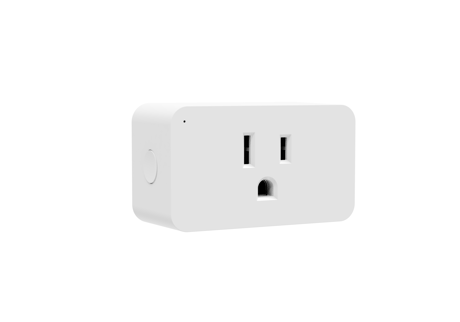
Plug-in Dimmer Outlet
ZW39M(MP31ZD)
Multilevel Switch DT
HW: 01 FW: 01.00
EFR32ZG23A
7.19.3
0x0312 (786)
0xFF00 (65280)
N/A
ZC14-24070457
2024-07-24 12:51:43
N/A
Enhanced End Node 232
Always On End Node
Use the 800LR smart dimmer in smart lighting applications for smooth lighting control and reliable wireless communication.


3 - LED light mode
Set the LED Light Mode.Size: 1 byte
Default: 1
Minimum: 0
Maximum: 3
Possible values
| From | To | Desription |
|---|---|---|
| 0 | 0 | 0 |
16 - Switch Mode
Set control mode: 0= Dim mode,1= Switch mode.Size: 1 byte
Default: 0
Minimum: 0
Maximum: 1
Possible values
| From | To | Desription |
|---|---|---|
| 0 | 0 | 0 |
30 - Minimum Dim Threshold
Minimum Dim Threshold.Size: 1 byte
Default: 1
Minimum: 1
Maximum: 99
Possible values
| From | To | Desription |
|---|---|---|
| 0 | 0 | 0 |
31 - Maximum Brightness Threshold
Maximum Brightness Threshold.Size: 1 byte
Default: 99
Minimum: 1
Maximum: 99
Possible values
| From | To | Desription |
|---|---|---|
| 0 | 0 | 0 |
32 - Starting Brightness Level
Dimmer will turn ON to this level.Size: 1 byte
Default: 0
Minimum: 0
Maximum: 99
Possible values
| From | To | Desription |
|---|---|---|
| 0 | 0 | 0 |
39 - Restore status after power failure
Action in case of power out.Size: 1 byte
Default: 0
Minimum: 0
Maximum: 2
Possible values
| From | To | Desription |
|---|---|---|
| 0 | 0 | 0 |
41 - LED brightness
Set the LED brightness.Size: 1 byte
Default: 0
Minimum: 0
Maximum: 2
Possible values
| From | To | Desription |
|---|---|---|
| 0 | 0 | 0 |
84 - Reset Factory Default
Reset Switch to Factory Defaults.Size: 1 byte
Default: 0
Minimum: 0
Maximum: 1
Possible values
| From | To | Desription |
|---|---|---|
| 0 | 0 | 0 |
The device support two methods of inclusion, When using a Z-Wave Plus® certified controller choose Network Wide Inclusion or SmartStart. TAP the button once times to ADD/INCLUDE the device. Network Wide Inclusion To A Z-Wave® Network TAP the button once times to REMOVE/EXCLUDE the device Refer to your primary controller instructions to process the inclusion / exclusion setup procedure. When prompted by your primary controller, click the Z-Wave button one times . . The device is compatible with SmartStart. SmartStart enabled products can be added into a Z-Wave® network by scanning the Z-Wave QR Code found on the top of the outlet or the back of the box with a controller providing SmartStart inclusion. No further action is required and the SmartStart product will be added automatically within 10 minutes of being switched on and in the network vicinity. Note: Z-Wave Long Range device can only support be included via SmartStart.Extract the DSK from end device and paste itinto the Dsk Value in PC Controller, make sure the Long Range'' option is ticked.
The device support two methods of inclusion, When using a Z-Wave Plus® certified controller choose Network Wide Inclusion or SmartStart. TAP the button once times to ADD/INCLUDE the device. Network Wide Inclusion To A Z-Wave® Network TAP the button once times to REMOVE/EXCLUDE the device Refer to your primary controller instructions to process the inclusion / exclusion setup procedure. When prompted by your primary controller, click the Z-Wave button one times . . The device is compatible with SmartStart. SmartStart enabled products can be added into a Z-Wave® network by scanning the Z-Wave QR Code found on the top of the outlet or the back of the box with a controller providing SmartStart inclusion. No further action is required and the SmartStart product will be added automatically within 10 minutes of being switched on and in the network vicinity. Note: Z-Wave Long Range device can only support be included via SmartStart.Extract the DSK from end device and paste itinto the Dsk Value in PC Controller, make sure the Long Range'' option is ticked.
Factory Reset:Remove the switch from power. Press and hold the manual button, plug the switch in and continue holding the manual button for 3 seconds. Note: Please use this procedure only when the network primary controller is missing or otherwise inoperable.
SCAN THE QR CODE / ENTER THE 5-DIGIT DSK, visual arrow pointing to the DSK PIN code on the switch
| Type | Value(s) |
|---|