Kwikset
10 Button Z-Wave Plus v2 Deadbolt
869.0
Lock DT
HW: 01 FW: 10.20:69.35
ZGM130S037HGN2 / ZGM130S037HGN1
7.20.2
0x0090 (144)
0x0811 (2065)
0x23A9 (9129)
ZC14-24080463
2024-08-12 09:49:02
N/A
Enhanced End Node 232
Listening Sleeping End Node
Yes
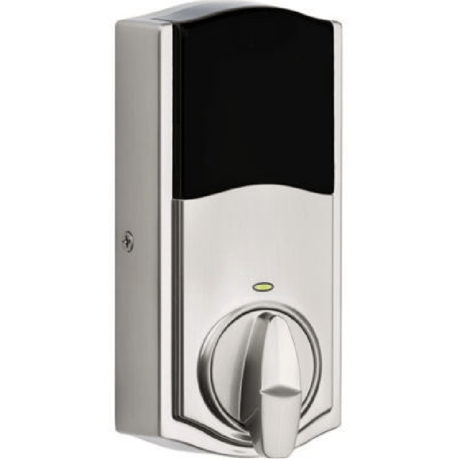
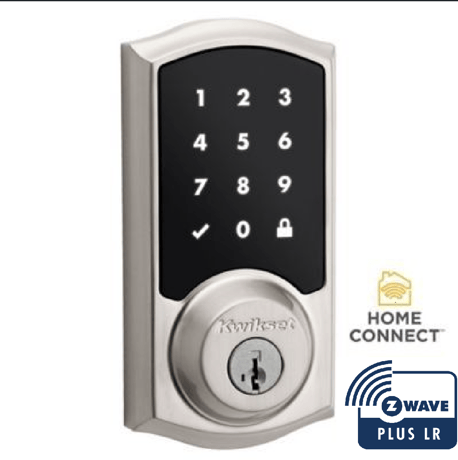
Kwikset 10 key touchpad long range connected electronic deadbolt


1 - Status LED Control
CP1 is r/w parameter with 1byte.Set on status LED show the status of the latch every 6sec.Set off status not be shownSize: 1 byte
Default: 1
Minimum: 0
Maximum: 1
Possible values
| From | To | Desription |
|---|---|---|
| 0 | 0 | 0 |
2 - Sound Control
CP2 is r/w parameter with 1byte.Set on buzzer is enabled,will sound in normal events.Set off buzzer is disabled,sound won't occurSize: 1 byte
Default: 1
Minimum: 0
Maximum: 1
Possible values
| From | To | Desription |
|---|---|---|
| 0 | 0 | 0 |
3 - User Program Button Control
CP3 is r/w parameter with 1byte.Set on program button is available for user code maintenance.Set off program button isn't availableSize: 1 byte
Default: 1
Minimum: 0
Maximum: 1
Possible values
| From | To | Desription |
|---|---|---|
| 0 | 0 | 0 |
4 - Secure Screen Control
CP4 is r/w parameter with 1byte.Control the secure screen functionality on touch locks only.Parameter isn't used on non-touch locksSize: 1 byte
Default: 1
Minimum: 0
Maximum: 1
Possible values
| From | To | Desription |
|---|---|---|
| 0 | 0 | 0 |
10 - Handing Control
CP10 is r/w parameter with a 1byte.When read return handing of lock.When written run handing operation.Report 0=!success-0=failSize: 1 byte
Default: 1
Minimum: 0
Maximum: 2
Possible values
| From | To | Desription |
|---|---|---|
| 0 | 0 | 0 |
40 - Factory Default Control
CP40 is write parameter with 1byte.Used to request the lock to perform a factory reset back to its default stateSize: 1 byte
Default: 0
Minimum: 0
Maximum: 2
Possible values
| From | To | Desription |
|---|---|---|
| 0 | 0 | 0 |
46 - Motor Load Value
CP46 is read parameter with 4byte.Used to retrieve the calculated sideload value from the last motor run it was performedSize: 4 bytes
Default: 0
Minimum: 0
Maximum: 16777215
Possible values
| From | To | Desription |
|---|---|---|
| 0 | 0 | 0 |
Initiate the process to add the lock to your system at your smart home controller. Refer to your smart home system instructions for more information.If prompted by your smart home system to add the lock, press button “A” on the lock interior one time. The red LED will illuminate when the lock enters Add Mode.At this time, you may be prompted by your smart home system to enter the 5-digit PIN found on the label of the interior assembly. If not, proceed to step D. If successful, re-name the lock in your system (if applicable). If unsuccessful, follow your system’s instructions to remove the lock from the controller and any other network, then press button “A” on the lock one time.
Removing the lock from the network Follow your smart home system’s instructions to remove the lock from the network. When prompted by the system, press button A” on the lock interior once
Please use this procedure only when the network''s primary controller is missing or otherwise inoperable. 1. Remove Battery Pack. 2 Press and HOLD the "Program" button while reinserting the battery pack. Keep holding the button for 30 seconds until the lock beeps and the status LED flashes red. 3. Press the "Program" button once more. The status LED will flash green and red several times. 4. After a few seconds, the lock will initiate the door handing process, and the latch bolt will extend and retract to learn the orientation of the door.
On the interior portion of the lock above "Button A", the 5 digit DSK and QR code are present.
| Type | Value(s) |
|---|
| Group | Type |
|---|---|
| Access Control |
|
| Home Security |
|
| Power Management |
|