ZOOZ
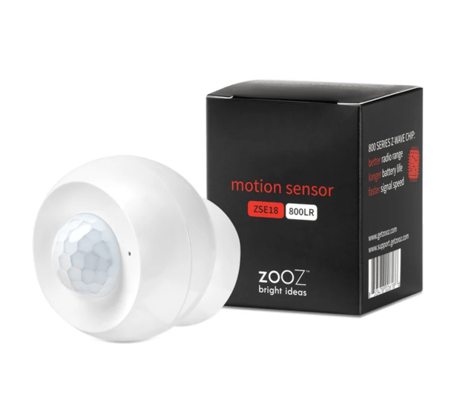
Motion Sensor
ZSE18 800LR
Notification Sensor DT
HW: 02 FW: 02.00
EFR32ZG23A
7.19.3
0x027A (634)
0x0301 (769)
0x0012 (18)
ZC14-24080464
2024-08-19 17:00:03
N/A
Enhanced End Node 232
Reporting Sleeping End Node
Yes
Use this Z-Wave Long Range Motion Sensor to reliable detect and report motion and vibration activity.


12 - Motion sensitivity
Adjust PIR sensor sensitivity.Size: 1 byte
Default: 4
Minimum: 1
Maximum: 8
Possible values
| From | To | Desription |
|---|---|---|
| 1 | 8 | 1 - low sensitivity, 8 - high sensitivity |
14 - Motion trigger send basic cmd
Enable or disable BASIC SET reports when motion is triggered for Group 2 of associated devices.Size: 1 byte
Default: 0
Minimum: 0
Maximum: 1
Possible values
| From | To | Desription |
|---|---|---|
| 0 | 0 | disabled |
| 1 | 1 | enabled |
15 - Motion group control
Reverse values sent in BASIC SET reports when motion is triggered for Group 2 of associated devices.Size: 1 byte
Default: 0
Minimum: 0
Maximum: 1
Possible values
| From | To | Desription |
|---|---|---|
| 0 | 0 | BASIC SET value 255 is sent when motion is triggered, BASIC SET value 0 is sent when motion times out |
| 1 | 1 | BASIC SET value 0 is sent when motion is triggered, BASIC SET value 255 is sent when motion times out |
17 - Vibration sensor enable or disable
Vibration sensor enable or disableSize: 1 byte
Default: 1
Minimum: 0
Maximum: 1
Possible values
| From | To | Desription |
|---|---|---|
| 0 | 0 | disabled |
| 1 | 1 | enabled |
18 - Motion untrigger time
Motion untrigger timeSize: 2 bytes
Default: 30
Minimum: 10
Maximum: 65535
Possible values
| From | To | Desription |
|---|---|---|
| 10 | 65535 | seconds |
20 - LED activity
LED activitySize: 1 byte
Default: 1
Minimum: 0
Maximum: 1
Possible values
| From | To | Desription |
|---|---|---|
| 0 | 0 | LED indicator is disabled |
| 1 | 1 | LED indicator is enabled |
32 - Low battery threshold
Set battery level for low battery reports.Size: 1 byte
Default: 10
Minimum: 10
Maximum: 50
Possible values
| From | To | Desription |
|---|---|---|
| 10 | 50 | percent |
254 - Configuration param lock
Lock the current advanced settings and prevent any parameter values to be changed until unlocked again.Size: 1 byte
Default: 0
Minimum: 0
Maximum: 1
Possible values
| From | To | Desription |
|---|---|---|
| 0 | 0 | settings unlocked |
| 1 | 1 | settings locked |
1. Initiate inclusion (pairing) in the app (or web interface). 2. CLICK Z-WAVE BUTTON 3 TIMES QUICKLY if using traditional Z-Wave inclusion. 3. The LED indicator will blink to signal communication and turn solid if inclusion is successful.
1. Initiate exclusion (unpairing) in the app (or web interface). 2. CLICK Z-WAVE BUTTON 3 TIMES QUICKLY if using traditional Z-Wave inclusion. 3. The LED indicator will blink to signal communication and turn solid if exclusion is successful.
Press & HOLD the Z-Wave® button for 5 seconds to wake the device up. The LED will start flashing.
If your primary controller is missing or inoperable, you may need to reset the device to factory settings. To complete the reset process manually, press and HOLD the Z-Wave ® button on the sensor for at least 20 seconds. The LED indicator will flash, stay solid, and then turn off to confirm factory reset. NOTE: All previously recorded activity and custom settings will be erased from the device’s memory.
If you’re using an S2 hub, it will ask you to enter the DSK PIN or scan the QR code printed on the inside of the back cover of the sensor to complete SmartStart inclusion.
| Type | Value(s) |
|---|
| Group | Type |
|---|---|
| Home Security |
|
| Power Management |
|