alfanar
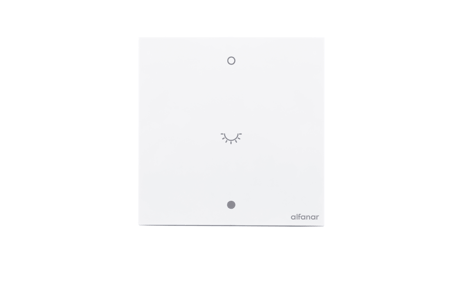
MASA Smart Dimmer
SZWRBF196
Multilevel Switch DT
HW: 01 FW: 01.04:02.05:01.03
EFR32ZG23A
7.22.0
0x0469 (1129)
0x0004 (4)
0x0004 (4)
ZC14-25040515
2025-04-09 15:09:05
N/A
Enhanced End Node 232
Always On End Node
The Alfanar MASA Dimmer employs Z-Wave® communication to efficiently control lighting in smart homes and buildings, facilitating seamless automation and convenient remote operation.


1 - Over-Temp Protection Threshold
Over-Temp Protection Threshold in °C, set to 0 to disableSize: 4 bytes
Default: 100
Minimum: 0
Maximum: 120
Possible values
| From | To | Desription |
|---|---|---|
| 0 | 0 | 0 |
2 - Over-Voltage Protection Threshold
Over-Voltage Protection Threshold in volt, set to 0 to disableSize: 4 bytes
Default: 270
Minimum: 0
Maximum: 280
Possible values
| From | To | Desription |
|---|---|---|
| 0 | 0 | 0 |
3 - Minimum Brightness Level
Minimum Brightness Level,1~95Size: 4 bytes
Default: 15
Minimum: 1
Maximum: 95
Possible values
| From | To | Desription |
|---|---|---|
| 0 | 0 | 0 |
4 - Maximum Brightness Level
Maximum Brightness Level,10~95Size: 4 bytes
Default: 95
Minimum: 10
Maximum: 95
Possible values
| From | To | Desription |
|---|---|---|
| 0 | 0 | 0 |
5 - Restore state after power failure
Restore state after power failure, set to 1 to enableSize: 1 byte
Default: 0
Minimum: 0
Maximum: 1
Possible values
| From | To | Desription |
|---|---|---|
| 0 | 0 | 0 |
6 - Indicator LED Enable /Disable
Indicator LED Enable /Disable, set to 0 to disableSize: 1 byte
Default: 1
Minimum: 0
Maximum: 1
Possible values
| From | To | Desription |
|---|---|---|
| 0 | 0 | 0 |
7 - LED Indicator Mode
LED Indicator Mode, set to 1 to LocatorSize: 1 byte
Default: 0
Minimum: 0
Maximum: 1
Possible values
| From | To | Desription |
|---|---|---|
| 0 | 0 | 0 |
8 - Factory Reset dimmer
Factory Reset dimmer, set to 0x55 to Restore factory settingSize: 1 byte
Default: 0
Minimum: 0
Maximum: 255
Possible values
| From | To | Desription |
|---|---|---|
| 0 | 0 | 0 |
9 - Disable Local Control
Disable Local Control, set to 1 to disable local controlSize: 1 byte
Default: 0
Minimum: 0
Maximum: 1
Possible values
| From | To | Desription |
|---|---|---|
| 0 | 0 | 0 |
10 - Disable Remote control
Disable Remote control, set to 1 to disable remote controlSize: 1 byte
Default: 0
Minimum: 0
Maximum: 1
Possible values
| From | To | Desription |
|---|---|---|
| 0 | 0 | 0 |
11 - Enable/Disable the double click
0:double click disabled, 1:double click enabledSize: 1 byte
Default: 0
Minimum: 0
Maximum: 1
Possible values
| From | To | Desription |
|---|---|---|
| 0 | 0 | 0 |
12 - Dimming time (soft on/off)
1~127 = 1 second ~127 secondsSize: 1 byte
Default: 1
Minimum: 1
Maximum: 127
Possible values
| From | To | Desription |
|---|---|---|
| 0 | 0 | 0 |
13 - Dimming time when key pressed
1~127 = 1 second ~127 secondsSize: 1 byte
Default: 3
Minimum: 1
Maximum: 127
Possible values
| From | To | Desription |
|---|---|---|
| 0 | 0 | 0 |
14 - Turn Load Off Automatically with Timer
1 - 32535 = 1 - 32535 seconds Auto OFF enabled;0 Auto OFF disableSize: 4 bytes
Default: 0
Minimum: 0
Maximum: 32535
Possible values
| From | To | Desription |
|---|---|---|
| 0 | 0 | 0 |
15 - Turn Load On Automatically with Timer
1 - 32535 = 1 - 32535 seconds Auto ON enabled;0 Auto On disbaleSize: 4 bytes
Default: 0
Minimum: 0
Maximum: 32535
Possible values
| From | To | Desription |
|---|---|---|
| 0 | 0 | 0 |
1. Place the device within the direct range of your Z-Wave gateway 2. Power ON the device. 3. Set the main gateway to (Security/Non-Security Mode) and enable the Add/Inclusion mode (refer to the gateway''s manual for instructions). 4. Press push button for 3 consecutive clicks. 5. If adding Security S2 Authenticated mode, enter the DSK PIN or scanthe SmartStart QR code 6. The indicator LED will begin blinking(1 second ON & 1 second OFFsimultaneously) until the inclusion process is complete. 7. The Z-Wave gateway will confirm successful inclusion. (Check update in the gateway APP)
To remove the device from the Z-Wave network: 1. Set the main Z-Wave Gateway into exclusion/remove mode (see thegateway''s manual). 2. Press push button for 3 consecutive clicks. 3. The indicator LED will begin blinking (1 second ON & 1 second OFFsimultaneously) until the exclusion process to complete.d. 4. The Z-Wave gateway will confirm successful exclusion.Also, Factory Reset will remove devices from the Z-Wave Network.
To do a factory reset, press any button for 10 consecutive clicks. The indicator LED will blink three times to show the successful Reset
In the LV isolate plate, the user simply needs to disassemble the Rocker to access the DSK.
| Type | Value(s) |
|---|
| Group | Type |
|---|---|
| Heat Alarm | Heat sensor status: Overheat detected |
| Power Management | Over-voltage status: Over-voltage detected |
| System | Heartbeat |