CLIMAX TECHNOLOGY
Smoke Detector
SD-32-AC-ZW
Notification Sensor DT
HW: 255 FW: 04.07
ZM5202AE-CME3
6.85.02
0x018E (398)
0x0003 (3)
0x0027 (39)
ZC14-25050523
2025-05-20 06:36:34
N/A
Enhanced End Node 232
Always On End Node
Yes
The SD-32-AC-ZW wireless smoke detector uses multi-criteria sensor technology to detect fast-burning and slow-smoldering fires, and intelligent system to minimize false alarms from cooking smoke.
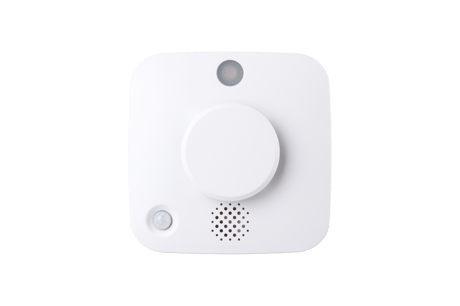
Step 1 Put the Z-Wave gateway or control panel into Inclusion or Learning mode (please refer to the Z-Wave gateway or control panel manual). Step 2 Within 1.5 seconds, press the Function button 3 times. The Smoke Detector will emit a 2-tone beep and the LED will turn on for about 0.2 seconds. Refer to the operation manual of the Z-Wave gateway or control panel to complete the learn-in process. <NOTE> If the Detector has already been included (learnt) into another Z-Wave Gateway/Control Panel, or if it is unable to be learnt into the current Z-Wave Gateway/Control Panel, please remove it first (see Exclusion below) before attempting to include it into the current Z-Wave Gateway/Control Panel.
Step 1 Put the Z-Wave gateway or control panel into Exclusion mode (please refer to the Z-Wave gateway or control panel manual). Step 2 Within 1.5 seconds, press the Function button 3 times and the Smoke Detector will be removed from the Z-wave network.
Factory Reset (Only use factory reset when network Control Panel/Gateway is missing or inoperable). Step 1 Press and hold the Function button for 20 seconds. Step 2 Release the button after 3 beeps to factory reset.
The DSK information is stored in the QR code format on the device. SD-32-H-SC-AC-ZW_20250424.docx (page 4)
| Type | Value(s) |
|---|
| Group | Type |
|---|---|
| Smoke Alarm |
|
| Heat Alarm |
|
| Home Security |
|
| Power Management |
|
| Sensor type |
|---|
| Air Temperature |