Nice S.p.A
SingleSwitch-Control
FGS 213
On/Off Power Switch
HW: 03 FW: 03.03
ZM5101A-CME3
6.51.07
0x010F (271)
0x0403 (1027)
0x2000 (8192)
ZC10-25070009
2025-07-01 14:34:50
N/A
Enhanced End Node 232
Always On Slave
Turning electrical devices on or off remotely.
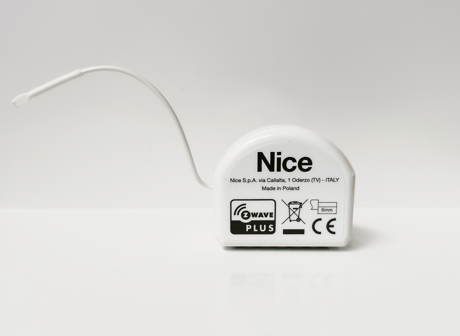
To add the device to the Z-Wave® network: 1. Place the SingleSwitch-Control within the direct range of your Z-Wave® controller. 2. Identify the S1 switch. 3. Set the main controller in the add mode (Security/Non-Security). See the controller manual. 4. Press the S1 switch quickly, three times. 5. Wait for the adding process to end. 6. Adding is confirmed by the Z-Wave® controller message.
To remove the device from the Z-Wave® network: 1. Place the SingleSwitch-Control within the direct range of your Z-Wave® controller. 2. Identify the S1 switch. 3. Set the main controller in the remove mode. See the controller manual. 4. Press the S1 switch quickly, three times. 5. Wait for the removing process to end. 6. Removing is confirmed by the Z-Wave® controller message.
Use this procedure only when the network primary controller is missing or otherwise inoperable. 1. Switch off the mains voltage (disable the fuse). 2. Remove the SingleSwitch-Control from the wall switch box. 3. Switch on the mains voltage. 4. Press and hold the B-button to enter the menu. 5. Wait for the visual LED indicator to glow yellow. 6. Quickly release and click the B-button again. 7. After a few seconds the device is restarted, which is signalled with the red LED indicator light.