Zooz
Siren & Chime
ZSE50 800LR
Sound Switch DT
HW: 01 FW: 01.10
EFR32ZG23A
7.18.8
0x027A (634)
0x0004 (4)
0x0369 (873)
ZC14-25080540
2025-08-19 10:56:51
N/A
Enhanced End Node 232
Always On End Node
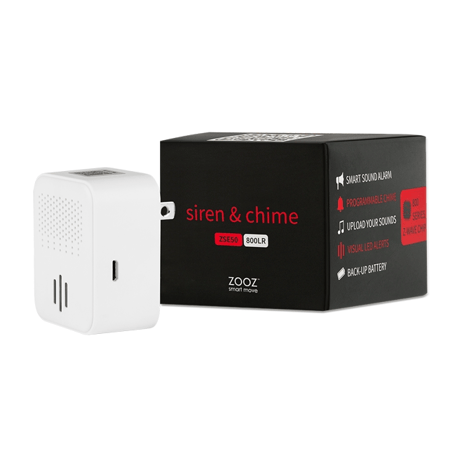
Use the Siren & Chime to trigger sound or visual alarm as well as custom tones in home automation and smart security scenarios.


1 - Playback Mode
Set siren playback mode: once (0), loop for x seconds (1), loop x times (2), loop until cancel (3), no sound (4).Size: 1 byte
Default: 0
Minimum: 0
Maximum: 4
Possible values
| From | To | Desription |
|---|---|---|
| 0 | 0 | 0 |
2 - Playback Duration
Set playback duration for the siren (in seconds) when the siren is in playback mode 1 (param 1).Size: 2 bytes
Default: 180
Minimum: 1
Maximum: 900
Possible values
| From | To | Desription |
|---|---|---|
| 0 | 0 | 0 |
3 - Playback Loop Count
Set the number of playback loops for the selected tone when the siren is in playback mode 2 (param 1).Size: 1 byte
Default: 1
Minimum: 1
Maximum: 99
Possible values
| From | To | Desription |
|---|---|---|
| 0 | 0 | 0 |
4 - Playback Tone
Set the default tone for the siren playback. Choose the number of the file in the library as value.Size: 1 byte
Default: 9
Minimum: 1
Maximum: 50
Possible values
| From | To | Desription |
|---|---|---|
| 0 | 0 | 0 |
5 - Playback Volume
Set playback volume (0-100, 0-mute).Size: 1 byte
Default: 100
Minimum: 0
Maximum: 100
Possible values
| From | To | Desription |
|---|---|---|
| 0 | 0 | 0 |
6 - LED Indicator Mode
Set the LED indicator mode for the siren: off (0), strobe (1), police strobe (2), pulse (3), solid on (4). See documentation for details.Size: 1 byte
Default: 1
Minimum: 0
Maximum: 4
Possible values
| From | To | Desription |
|---|---|---|
| 0 | 0 | 0 |
7 - LED Indicator Color
Set the LED indicator color: red (0), yellow (42), green (85), indigo (127), blue (170), purple (212), or white (255).Size: 1 byte
Default: 0
Minimum: 0
Maximum: 255
Possible values
| From | To | Desription |
|---|---|---|
| 0 | 0 | 0 |
8 - Low Battery Report
Which % level should the device report low battery to the hub.Size: 1 byte
Default: 20
Minimum: 10
Maximum: 50
Possible values
| From | To | Desription |
|---|---|---|
| 0 | 0 | 0 |
9 - LED In Back-Up Battery Mode
Set the LED indicator in back-up battery mode: off (0), regular LED mode (1), pulse white for full battery and red for low battery (2).Size: 1 byte
Default: 1
Minimum: 0
Maximum: 2
Possible values
| From | To | Desription |
|---|---|---|
| 0 | 0 | 0 |
10 - Button Tone Selection
Disable tone selection from physical buttons on the siren (0). Expert users only, see documentation for details.Size: 1 byte
Default: 1
Minimum: 0
Maximum: 1
Possible values
| From | To | Desription |
|---|---|---|
| 0 | 0 | 0 |
11 - Button Volume Selection
Disable volume adjustment from physical buttons on the siren (0). Expert users only, see documentation for details.Size: 1 byte
Default: 1
Minimum: 0
Maximum: 1
Possible values
| From | To | Desription |
|---|---|---|
| 0 | 0 | 0 |
12 - Basic Set Commands
Decide if and when the siren sends Basic Set commands to devices associated in Group 2.Size: 1 byte
Default: 1
Minimum: 0
Maximum: 6
Possible values
| From | To | Desription |
|---|---|---|
| 0 | 0 | 0 |
13 - System Message Volume
Set system message volume (0-100, 0-mute).Size: 1 byte
Default: 80
Minimum: 0
Maximum: 100
Possible values
| From | To | Desription |
|---|---|---|
| 0 | 0 | 0 |
14 - LED Indicator Brightness
Choose the LED indicator's brightness level (0-off, 10-high brightness).Size: 1 byte
Default: 5
Minimum: 0
Maximum: 10
Possible values
| From | To | Desription |
|---|---|---|
| 0 | 0 | 0 |
15 - Battery Reporting Frequency
Set the reporting interval for battery (1-84 hours).Size: 1 byte
Default: 12
Minimum: 1
Maximum: 84
Possible values
| From | To | Desription |
|---|---|---|
| 0 | 0 | 0 |
16 - Battery Reporting Threshold
Set the threshold for battery reporting in % changes. Set to 0 to disable reporting based on threshold.Size: 1 byte
Default: 0
Minimum: 0
Maximum: 20
Possible values
| From | To | Desription |
|---|---|---|
| 0 | 0 | 0 |
Initiate inclusion (pairing) in the app or hub UI. Make sure the device is powered and finalize the inclusion at the siren: tap the + button on the device 3 times quickly.
1. Bring your siren close to the hub if possible. 2. Put the Z-Wave® hub into exclusion mode 3. Tap the “-” button on the siren 3 times quickly (the LED indicator will start blinking green) 4. Your hub will confirm exclusion, the LED indicator on the siren will turn green for 2 seconds, a message will sound, and the device will be removed.
If your primary controller is missing or inoperable, you may need to reset the device to factory settings. To reset the relay, hold the + and - buttons together for at least 15 seconds. The LED will turn green after 3 seconds (keep holding the buttons), then start blinking red after 8 seconds, and it will turn solid red after 15 seconds to confirm successful reset. You’ll also hear a confirmation message that the device has been reset. NOTE: All previously recorded activity and custom settings will be erased from the device’s memory.
The SmartStart QR code and security PIN are located on top of the siren so you can easily scan the code when the device is plugged in.
| Type | Value(s) |
|---|
| Group | Type |
|---|---|
| Power Management |
|
| Siren | Siren status: Siren active |